
All in One View
Content from Introducing User Experience Research and Design
Last updated on 2025-11-04 | Edit this page
Overview
Questions
- What is user experience research?
- What is user experience design?
- How can user experience research help solve usability and user problems and difficulties in software?
- How can user experience research be done in an effective and lean way in scientific software?
Objectives
- Understand the concept and importance of user experience research
- Learn meanings of key terms like ‘user experience’ and ‘research’ in the context of user experience research
- Recognize how user experience research can be applied to software in order to solve user problems and difficulties.
Introduction
User experience research is part of the larger ‘design’ or ‘Human computer interaction’ (HCI) field. This field includes both researchers in academic institutions and practitioners working at organisations and businesses. The practice of ‘User Experience Research’ is informed by its academic siblings but often evolves through both research and hands-on, commercial practice.
User Experience is a broad term used to refer to any and all users’ (humans typically) experience and interactions with software, technology or tools. User Experience Research is thus used to refer to the act of researching or investigating the subjective experience of users when interacting with software, technology or tools. This is done through a variety of methods and practices in order to gain insights and knowledge on how to make software, technology or tools work ‘better’ for those users.
Different approaches to definitions of User Experience Research exist e.g. Participatory Design, Co-design, Action Research, Usability Research etc. When we use the term ‘User Experience Research’ we are using this as a ‘catch-all’ term to describe whichever form of User Experience Research is most specifically relevant to you and your explorations.
User Experience Design can be described as the process of ‘designing’ (thinking about, planning, drawing, building, deciding etc.) a software, technology or tool’s ‘experience’. This includes, but is not limited to: What an interface looks like, what content/text is being shown/displayed to a user at what point and in what sequence, what sequence of actions is a user prompted to do via commands/buttons, etc.
Users can be defined in many ways, as builders, configurers and end-users of software, technology or tools. Exploring these definitions and characteristics are part of developing your own relevant and appropriate User Experience Research.
Problem scenario
Zarah has created open source scientific software as part of their research studies that performs image analysis specifically for plant science. This open source science software helps users to measure plant traits (aka phenotypes). At a scientific conference, Zarah meets Ester who has used her open source scientific software when conducting her own research on ocean-based plant life. Ester wrote a paper citing Zarah’s software, forked their repository and also logged a number of ‘bugs’ and ‘problems’ they had when using the open source software on underwater plants.
One of those ‘bugs’ was that using images of underwater plants while they are still underwater means that image recognition can become inaccurate and there is no way of letting the software know that the plant is in water when the image was taken.
Is it a technical bug or is it a usability bug?
This bug has some aspects that are user experience problems/challenges that can begin to be solved by understanding the user experience through research and addressed by making user experience better for this user’s specific case.
Insert image/comic of a dev calling a bug a technical bug and a designer yes-and-ing it as a usability bug
Using user research to understand the ‘bug’ more.
Let’s return to Zarah and Ester. Zarah was surprised when they saw a number of ‘bugs’ written by other people about the software she created. Zarah herself has only ever studied plants that grow ‘outside’ of water, so she never needed the image recognition software to do anything but be able to consider humidity of the air and perhaps water droplets on recently watered plants.
Zarah spends some time looking at these bugs in Ester’s forked version of the software. She notes down some common themes and categorizes them in order of what she knows the most about and least about in terms of water-based plants and image recognition. From this prioritised list of what she most wants to find out, she’s able to form some questions she could ask Ester (and other water-based plant scientists) about how they use the open source scientific software. She now has a list of questions, most are related to the bugs and some are more broadly about how others use the open source scientific software.
Insert image/comic of notebook paper and a list of questions and plant drawings
Zarah is about to email Ester and arrange a meeting to ask these questions. But she pauses and wonders how others ask these kinds of questions. She takes a moment to search online and discovers that there’s multiple methodologies that people use in order to ask questions to people that use software. Using the method of ‘Contextual Inquiry’ as guidance, Zarah sets up a time with Ester in the lab that she does her ocean based image research and watches Ester use the open source scientific software while asking questions from her list at the appropriate times Ester uses certain functions or comes up against ‘bugs’. Zarah discovers that while some ‘bugs’ are functional, some are that Ester uses the open source scientific software differently to achieve the same or similar conclusions. For example, Ester has to ‘hack’ the data to include different environmental criteria for the ocean-based plants and Zarah thinks this is more about offering flexible data entry options for people like Ester rather than assuming everyone enters the same data as Zarah does.
Insert image/comic of two scientists in front of a computer with an ocean tank in the background with an interested lobster
When Zarah is back at her own lab she looks at the data from speaking with Ester again. She notes that it’d be good to speak to more people that are using the open source scientific software differently to her and uses the information she gather from speaking with Ester to better contextualise existing bugs in her software repository as technical bugs or user experience bugs, where she then describes (without using Ester’s name) how the open source scientific software’s functions could be used differently and adapted to fit Ester’s use case and those like hers.
Discussion
What do you think Zarah’s next steps could be with her user experience research?
Discuss with a fellow learner what you’d be looking to do next if you were in the same or a similar situation.
Practice
Thinking about your own open source scientific software or a software you use regularly, what ‘bugs’ can you remember?
Which is the most prominent and do you think it’s a technical bug only or also a user experience bug and why?
Key points
- User Experience Research can have many associated terms and words with it depending on academic research or practice and the popularised terms.
- User Experience Research is largely about finding out about how users interact with software, tools and technologies and how that can inform changes and enhancements to software, tools and technologies.
- There are different methods that can be selected from to conduct User Experience Research as well as different data collection methods, insight generation from data and applications of those insights to software, tools and technologies.
- User Experience Research isn’t about discounting or discrediting the creators or maintainers own experiences of software, tools and technologies and is more about supplementing and enhancing them.
References
Citations and links to outside sources go here.
Content from Choosing a research method for design
Last updated on 2025-11-04 | Edit this page
Overview
Questions
- What distinguishes any method from another, e.g. are there different user experience method types?
- How will learners know which methods are the right ones for their user experience research?
- What ethical considerations do learners need to take into account when choosing a user experience method?
- How can a user experience research plan affect method selection?
Objectives
- Articulate your motivation for conducting user experience research
- Define a target user audience for the user experience research
- Develop an appropriate recruitment strategy based on the chosen target user audience
- Identify potential risks of participation in user experience research and ways of addressing those risks
- Identify who (if anyone) will conduct and assist with your user experience research
- Determine what method (or methods) are appropriate for your open source scientific software
What is your motivation and/or or goals for doing user experience research?
In the introductions example, Zarah’s motivation for doing user Experience Research was partly because she saw lots of bugs being described by other users of her open source scientific software and partly a curiosity to learn and understand a user (Ester) that uses her open source scientific software differently does their own work.
Zarah is interested in solving current documented problems for herself and other users and also exploring what other potential problems users that are not like Zarah could come across now or in the future. Zarah is motivated by both the now and improving for the future.
Questions to ask yourself
- What is your goal?
- What do you hope to learn?
- Who do you want to learn from and why?
Challenge
In this exercise you’re going to spend time thinking about your project, whatever stage it’s in (idea mode or a fully working open source science project) and define and describe it. This is a series of simple and clear statements that communicate the intended use of a product or service.
Zarah’s example
| Define your project and who it is primarily for | For scientists and researchers to measure plant traits (aka phenotypes) from images. It is command/script based and works within some web applications. It creates documents that contain code, outputs and documentation. |
|---|---|
| Describe what your tool/software does in an ideal scenario | Ideally a scientist who has images of plants wants to use the tool to batch-process, quickly process or see what plant traits the tool will offer from an image. Ideally they use the commands/prompts in a development environment |
| State one user experience research goal? (e.g. reduce user errors during data input) | To ensure that images of plants submerged in water are able to be processed accurately and in a usable way. |
| List any critical constraints or limitations of your open source scientific software (e.g. It is written in a particular coding language, it cannot do complex computations) | My open source science project is command based and can be used in certain web applications. There is no GUI. It is written in Python. It has certain limitations on what outputs are possible/available. |
Add your own
| Define your project and who it is primarily for | add your answer here |
|---|---|
| Describe what your tool/software does in an ideal scenario | add your answer here |
| State one user experience research goal? (e.g. reduce user errors during data input) | add your answer here |
| List any critical constraints or limitations of your open source scientific software (e.g. It is written in a particular coding language, it cannot do complex computations) | add your answer here |
Discussion
Do you notice any key words or themes in your answers?
Are there any open questions related to the ‘Questions to ask yourself’ that were difficult to answer?
Choose and find your target user audience
You may have found that while describing your project and who it is primarily for, you have a good idea of who is already using or interested in your open source science software. You may want to continue to focus on these people and make things better for them. However, it’s useful to begin to describe and define the subtle ways that even similar users are different from each other as well as the bigger differences between types of users. Having an idea of the ‘type’ of person you want to learn more about and some key information about their needs, behaviours, goals and challenges is a good idea before you choose a method and build out your user experience research. This helps you target the method, process and questions towards the key information and insights that you have questions about with your user audience.
There are some categories you can generalise:
We encourage you to choose from one of these archetypes or generalise a user that you are not familiar with and want to learn more about how they use or could use your open source science software. It is advisable to stay away from descriptors that could be too broad such as a user type like ‘a teacher’. A more specific user would be ‘A teacher that instructed undergrads on basic Python’ or ‘Basic Python teacher’.
You can spend more time developing a more comprehensive user persona document (also known as a ‘proto-persona’) or utilize existing user persona documents made public. User personas typically include some demographic data that is relevant to understand how, why and when a user might interact with a tool, technology or software and should ideally focus on goals, needs, barriers and behaviours more so than demographic data.

As for how many users to do user experience research with, you can choose and make a judgement on whether 1 user or 30 users are what you’d prefer to speak to. There is some ‘popular’ advice from back in the year 2000 that testing with 5 users minimum allows for majority and minority problems to arise. This was challenged in 2014 but the advice that can be generalised here is to test with as many users as it takes to get significant information on a data point.
It’s ok to make some informed assumptions and ‘best guesses’ about user audiences. These form a hypothesis about their potential needs, goals and behaviors that can be confirmed or challenges in the user experience research data.
What kind of user do you want to learn from most? You can decide based on a number of factors including:
- What kind of user you know least about
- What kind of user uses your tool, technology or software the most
- The kind of user you want more of to use your tool, technology or software
- The kind of user that can make a significant impact on your tool, technology or software if they use it and/or talk about using it
There are some resources out there to help you identify what kinds of users and stakeholders are the most important to you and your tool, technology or software. Various forms of Stakeholder Mapping can help you identify these users, understand their impact on your tool, technology or software and also map out their expectations, goals and concerns.
Identifying risks and ethics in user experience research
If you’re familiar with academic and research institutions, you may have come across or needed to complete ethics policies, procedures and forms. This is often to ensure that everyone involved in a research project is well protected and aware of any potential risks to health and wellbeing participating in the research might raise.
When performing user experience research outside of an institution that enforces ethics policy procedures, ethical considerations are at the discretion of the person planning, performing and collecting data about users on behalf of the open source science software. There are some good guidelines we recommend in order to protect yourself and others, but how you conduct ethics procedures are dependent on you and your open source science software’s policy model.
Guidelines
Provide a way for users that participated in user experience research to have information redacted, changed or stricken from public and private records. An email contact usually suffices.
Gain informed consent to participate in user experience research from participants and ensure you don’t deviate from what they consent to discuss. Depending on the country and laws, certain individuals e.g. underage/children, those with severe mental health impairments are unable to give informed consent. Be aware of your local and national laws. https://www.nngroup.com/articles/informed-consent/
Provide reasonable documentation and information for users participating in user experience research. Information that helps them to be as prepared as they need to be without biasing their responses can be a delicate balance. Use your best judgement. For example, many user experience researchers offer questions and prompts to users that are responding in an additional/second language in order to ensure they have time to read and understand in that additional/second language.
Be aware of how any incentives may bias you or the users you interact with. There’s plenty that can influence behaviour and responses and accounting for these means your research will remain as objective and honest as possible.
When making your user experience research plans, processes and data public in an open source way, ask users that participate what level of identifying information they are comfortable with being open and public. Avoid making public any data that could negatively affect them currently or in the future. https://www.nngroup.com/articles/privacy-and-security/
When recording data try to keep any words or statements that a user says as close to their word choice as possible. This avoids the risk of incorrectly capturing data or inferring an inaccurate meaning. Remember it’s ok to ask your users to clarify and explain their own meanings during the user experience research.
Be aware of your body language and what words you use in interactions with users during all stages of the user experience research. Discounting, trivializing or dismissing users own points of views, processes and expressions will likely mean you receive less forthcoming responses.
Remember that even a topic you think is low-risk or innocuous can raise some stressful and uncomfortable responses. Be sure to prioritise comfort and safety for yourself and your participants.
I’m a design researcher
I’m a design researcher who was doing some user experience research for an open source software technology with people that had experienced violent events and/or genocide events. It was important to hear about what users experienced and how technology can support them in peace and reconciliation work and we had to take extra precautions and consider what we asked users to answer or do. We gave users options to opt-out of certain topics and also provided some psychological support for everyone involved when investigating this topic.
The testimonial might appear to describe a more extreme example. Plenty of science and research deals with difficult topics, from medicine to astro-physics. When we’re interacting with other humans to discover their needs, we should take care and attention in how we interact.
Challenge
Read the following scenarios and answer two questions individually:
- What issues can you foresee for Zarah in each of the following scenarios?
- What approaches could you take to mitigate those issues?
- Zarah has gotten permission to record the session using Zoom, meaning they will also have access to a transcription of the session.
- Zarah holds a session that covers highly technical material and uses a substantial amount of jargon.
- Zarah used Zoom to record and transcribe their session, then immediately saved it to a drive that their whole department can access.
- Zarah has a transcript excerpt where a person describes their very unique research project and decides to do a web search on them.
When time is up, find someone who shares a user, scientific topic or concern with yourself to discuss your responses to the challenge/exercise.
What user experience research methods are available to you?
As of July 2022 NnGroup states that there are up to 20 different user experience research methods (and likely many more!) commonly used that you can choose from. These range from well-established methods to more recent, experimental methods as well as methods that range across learning about the attitudes of users and those that learn about the behaviours of users (attitudes and behaviours can be aligned or mis-matched depending on the user and their context). This also includes methods that are focussed primarily on how a user directly uses and/or manipulates a software, tool or technology (both scripted and unscripted or a ‘please perform X function’ verses ‘Please use the software, tool or technology as you naturally would’) and those that center learnings outside of the direct use of the software, tool or technology such as learning about what a user does before and after using a software, tool or technology, methods are are not directly observational by the researcher (e.g. surveys and focus groups) or general user experience information that helps to inform a software, tool or technology but isn’t directly about the functions of a software, tool or technology.
You can think about this in terms of what users do and what users say.
Most methods can involve gathering qualitative and quantitative data. However, quantitative data when reported by users risks being approximations and inaccurate. Though it is sometimes useful to look at how many times users report they perform an action versus a ‘machine’ collected version of that data.
You can find more examples of methodologies in the external resources https://www.nngroup.com/articles/which-ux-research-methods/ and https://www.nngroup.com/articles/research-methods-glossary/.
Including books on the subject like Universal Methods of Design
Zarah speaks to another scientist in their lab
In the example in the introduction, Zarah wanted to make sure she could speak to Ester in Ester’s own lab. Zarah not only wanted to ask Ester questions and see how Ester used her tools, technology and software, but also what Ester’s own lab (context) looked like and functioned like. Towards the end of the user experience research Zarah was able to ask some questions about both Ester’s computer setup, common tasks and practices but also why her lab was set up in the way that it was and how many other scientists shared that space with her. With this information Zarah could gather contextual data like ‘Ester works with 3 other scientists that also use my open source science software’ and ‘The lab has an area that has ocean water tanks that the computers are separate from’. These are pieces of information that can help Zarah make hypotheses and assumptions about how to optimize or better her open source science software for Zarah and her team.
Challenge
Identify a user experience research method that can be used in the example open source scientific software based on their goals and constraints. These open source scientific software are based on real projects but named differently.
| Open source scientific software name | Brief description | A goal and user/audience type | Method that could be used and why |
|---|---|---|---|
| Plantimg | An OSS that helps plant scientists detect plant traits using images. Python based. Command Line Interface (CLI) based. | Users that are learning how to use the OSS for the first time. | [Add your answer here and why] |
| ArrayOSS | Scalable storage of tensor data for scientific computing. Python library. | A user that is unsure they have the correct configuration of dependencies. | [Add your answer here and why] |
| Cellexplorer | Visually explore data to understand human tissue and cells. No-code UI. | A user that has mostly used code-tools and is looking to try no-code tools. | [Add your answer here and why] |
Connecting the methodology explorations to ethical considerations. Do you see any ethical concerns in the proposed user experience research with these open source science software projects or the users indicated?
Challenge
Build out two methods that you think best fits two different open source science softwares, audience/user focus, constraints and goals.
| Open source scientific software name | Brief description | A goal and user/audience type | Method that could be used and why |
|---|---|---|---|
Discuss between one-three strengths and limitations for each of the methods in the context of your open source science software.
A strength might be that you have access to a certain type of user you want to visit in their context so doing a contextual inquiry would be accessible.
A limitation might be that a usability test would require a user to have all the required dependencies and also relevant research data on a device that the user does not regularly use, so requires your users to bring certain assets with them.
Motivation
- Being able to describe and articulate your open source science software’s functionality, limitations and intentions helps you to better define a specific user experience research goal.
- Themes and recurring details can help you identify what is important or meaningful in how you (and others) describe your open source science software.
Choose and find your target user audience
- Like defining your open source science software’s functions and goals, describing and defining the kinds of users and their needs, traits and expectations helps you to narrow your focus to types of users based on a needs and/or behaviour.
- There are resources that can extend this learning for you in the form of audience and stakeholder mapping exercises that explore more prompts for you to think about users.
- Staying away from broad generalisations of users and specifying what actions and behaviours the users have.
Identifying risks and ethics in user experience research
- Ethical considerations can be different depending on the kind of users you’re focusing on, the type of open source science project and what (if any) sensitive subjects might arise.
- Lean towards caution and comfort and make sure to adhere to any policies that you might be beholden to as per your institutional affiliation.
What user experience research methods are available to you?
- There are a long list of methods available to those that conduct user experience research.
- Using details from your open source science software definition, audience definitions and what goals you have to learn about can help you narrow down what methodology you want to use.
- If In doubt, default back to a method you feel confident about and comfortable with. Getting the method process 100% right isn’t as important and practicing and gaining experience doing user experience research.
Content from Keeping track of user data and OSS
Last updated on 2025-11-04 | Edit this page
Overview
Questions
- How can I be sure I’m storing data about people securely?
- What ethical considerations should I have when doing user experience research and how does that work with my scientific research?
- What are systems and processes for tracking user experience research?
- How should I organise my notes to remain open and understandable?
- How can I ensure my user experience research is made as openly accessible as possible?
Objectives
- Store user experience research participant data securely
- Understand and develop any ethical research considerations when planning user experience research
- Develop a user experience research participant tracking system
- Record notes that can remain understandable and accessible over time
- Share what user experience research data you can in an open source manner
Storing data about users safely and securely
If you are part of an organisation or institution you may already have policies and practices in place to ensure the safety of data associated with your open source scientific software. It’s important to follow these processes above any advised processes and practices here. The advice and guidance contained in this episode are specific and unique elements of user experience research data storage that is often missed by institutions and organisations that are not used to handling this kind of data.
We recommend that you by default limit and restrict what personally identifying information you collect in the user research process. It may be essential to note down, Names, Alias, Institutions/Organizations/Companies and aspects like project names. It is rarely if ever relevant to record detailed demographic information such as age, specific location/address, gender, race/ethnicity and any other personal characteristics. We acknowledge that sometimes these identities and experiences can inform how a user performs their tasks using software and also can be important from a perspective of demonstrating that you are researching with a wide array of users (and not just the same demographics over and over). However, these demographics combined with searchable information across identity databases can lead to unintended risks and consequences for users. This can be as extreme as facing legal action should they have disclosed sensitive information (or information/identities that are criminalised in a specific country) in confidence of the interview process (either inadvertently or purposefully in relation to your research topic) and as mild as your user experience research participants receiving critiques or being called out privately or publicly.
We can’t know all the risks involved with collecting data around our open source science projects, but we can limit the ways in which people disconnected to the user experience research data collection can piece together who a person is from the data that they offer and we can empower our user experience research participants to redact any data that they view as sensitive or might put them at risk.
When it comes to the logistics of data storage, if your institution or organization does not have policies for secure and private storage already, then consider using, login, password and 2-factor authentication protected services (if you want to store data in the cloud) or login and/or password protected local storage on your device/harddrives. For large files like video and audio, these can be costly to keep locally from a size point of view. Be aware of the limitations of keeping these kinds of files (along with transcriptions) on services like Zoom. Be sure to read the privacy policies and data policies of any services you decide to use if not stipulated by your institution or organization.
Challenge
Take a look at the list below. It contains a series of different kinds of data that is possible to collect during user experience research, either purposefully or inadvertently. Note down next to the data type whether this data is needed in order for you to collect usable user data and why, whether it is not needed and whether it could be kept but obscured in a way.
Example
Full Legal Names: Record initials only or give users a ‘code name’ as a reference, only refer to the user as the code name during data collection and in written data. Codenames alongside known names/aliases are stored in a single, password protected file for approved researcher access.
Project Name and purpose: Rather than the explicit project name, you can describe what the project does instead to slightly abstract the project. This only works if the project is specific enough that it cannot be singled out by description.
Institutional Affiliation: Record the general sense of the department or that it’s a ‘lab’. Adding a genre such as ‘environmental science’ or otherwise can help both yourself frame the data when you re-read it and also helps orient others should they read any open data. Avoid any direct institutional names, this tends to make user participants less honest about any systemic problems that impact their use of software.
Country of origin/residence: Recording timezone like UTC+4
Maintaining a database of user participants for user experience research
Maintaining a database of your user participants is generally a good practice. Keeping information like who has been involved in user experience research, when on what topics and what contexts can help you when returning to the same/similar features and work that the same person could be beneficial to be input into again. As always however, there are aspects of this data capture and storage that can pose privacy and security issues. Of course, first look at your own institutions/organizations policies and procedures and review any previous data protection policies you may have written as part of your research/science work. Ensure you are following those should you be required to.
Next understanding from the previous episode, what kind of data you will capture about who in what ways is critical. Keeping a spreadsheet/database of any highly sensitive identifying information under password and locked systems is highly advisable to avoid any risks of harm to you or your user experience research participants.
We’d advise keeping two separate sets of information. One set where you have highly sensitive information like what the legal/known names, institution names, locations etc. along with what code name or reference word you gave the individual. A second set of information would be the code name and any information that can be readily public and non-risky to share.
Example of sensitive information to be locked Code name: Vash Real name: Erik Smith Institution: Project Seeds lab, University of the city of Julai Location: Julai City Gender: Male
Example of potential public information Name: Vash Field of study: Environmental Sciences Tool tested: Plantimg Educational level: PhD researcher and Coder Experience with coding/technical tool/process: Proficient in python and common line. Has built own commands and tools.
The above ‘potential public information’ shouldn’t cause any problems for the user experience research participant should it be made public knowledge to assign any of this person’s comments. To clarify the risks more clearly, imagine if ‘codename Vash’ spoke about how frustrated he was at his institution’s funding of certain sciences and labs in relation to his use for the open source science software that you are asking him about. This kind of comment, while possibly still relevant to you understanding how you can better your design decisions of your open source scientific software, could seriously harm code name Vash’s personal and professional reputation. So while it might be vital information, understanding when that vital information must be kept private and secure is an ethical and moral imperative for those involved in user experience research.
Understanding how you might plan to recontact people can be an important part of longer-term user experience research thinking. Take some time to read the following questions and how you might re-engage with a past user experience research participant.
How would you begin a recontact message? What information would you include, summarise and/or what would you omit from a message?
What happened since the last time you involved this user participant in user experience research? What changes and improvements might have happened that are important?
What questions would you need your user participant to answer regarding their own changes in this time period? Do you still require them to be involved in certain aspects of science and/or software?
Ethical user experience research
It’s difficult to define ethical user experience research in broadly applicable terms because, as with most user experience research, your ethics and morals and those of the users involved play a large part in defining those ethics and morals. Again, ensuring you are adhering to the policies and procedures of your institution or organization is critical. Many institutions have ethics processes involved when it comes to research that involve human (and animal) subjects. User experience research involves humans directly in as far as you’re prompting, exploring and investigating the ways in which they perform their tasks and how they interact with the world associated with your open source science software.
Spend some time thinking about what your own boundaries and the boundaries of your science and research project are. Are there certain subjects and topics that might come up, that you will politely refuse to gather data on and advise a user participant to move onto a topic? You can notify potential user participants ahead of time of topics that will not be covered and will not be recorded in notes. Now consider how you would deal with surprising content or comments that are ethically and morally challenging to you and your work or put the user participant in a position of risk or uncertainty. Modelling and thinking through these potentials should be considered before you undertake user experience research so that you are not caught unprepared in a situation that is unethical or immoral.
For example: - A user participant may ask you to ‘put a good word in for them’ with a funder or institution that you have a relationship or affiliation with in order for them to participate in your user research. - A user participant might speak publicly about some private aspects of your open science research software that you do not want made public yet. - A user participant might request a benefit of the open source science software in return for participation. Such as lowered or free access to versions of the software that may be paid or access to any other benefit that has a cost/value attached. - A user participant discloses some personal circumstances or events that are concerning their physical and/or mental health and/or wellbeing. This is given in the context of what was asked/prompted in regards to their user experience of the open source science software.
In these cases, ensuring you have a signed consent form for participating in user experience research is critical as well as setting out the expectations of user participants when they are involved in the user experience research. See a templated example here.
Challenge
Take a look at the below user experience subjects. Assess whether you foresee an ethical or moral issue with the intended topics.
| User participant comment/statement | Potential ethical/moral problem y/n? | Mitigation strategy |
|---|---|---|
| Example: A user participant withholds some comments that they insist can help make the open source science software that is being spoken about better but wants to be offered a benefit in return. | Example: Yes - depending on what they are asking for in return and also what they mean by ‘better’ and what from their experience informs those opinions. | Example: Confirm what the user participant wants in return outside of a spoken/synchronous conversation and record that process in documented (private writing). Assess whether the benefit is reasonable within given policies for compensation and that their view of their information of benefit is measured and appropriate. |
| A user participant speaks honestly but somewhat disparagingly about the lab department heads and how they review and distribute funding for specific projects and open source in their lab | ||
| A user participant discloses that they have used inaccurate data/plots/information in papers in peer review that the open source scientific software that is being spoken about has facilitated |
Keeping understandable and accessible notes
Ensuring you are keeping understandable and accessible notes is critical to some of the further episodes in this lesson (Episode: Interpreting results). In that future episode we go into depth about how to tag/label your notes in order to make the process of understanding findings more robust and easy.
Further episodes also look at supplemental ways to help you with data collection and note taking. In Episode: Conducting Interviews, Episode: Conducting rapid usability assessment and in Episode: Interpreting results, the benefits of automated transcription services are detailed as well as the benefits of inviting another person into the process of data collection in order to focus on note-taking while the other person focuses on asking questions, observing the user participant and being engaged in the data collection process of interacting with the use participant. In order for these future episodes to be most effective, committing at this point to robust note taking where you minimise jargon, shorthand and dedicate notes to ‘plain language’ descriptions and depictions of information presented by user participants can go a long way to ensuring that there is not an information or understanding barriers to reading notes and extracting meaningful data from the data.
Some best practice to make your notes understandable and accessible:
Have clear and documented titles, question/prompt/topic and data/information text structure. You can do this with text size and styling.
When you have data that connects to another topic or data, take time to note what those connections are in brackets or another text style or if you can, make the link to the connected data as you go. Using some intelligent systems or tools that have features for linking the same terms can help make this a less manual task.
Take the time to explain any interpretations of data that are specifically relevant. Again, ensure the text styling here is different to the norm such as using italics, ‘Authors note’ etc.
Ensuring that you save these notes in a location that not only follows any policies and procedures that you may need to adhere to from institutions/organizations but if possible making sure those files are accessible and openable by multiple operating systems and softwares, don’t require a stable/consistent internet connection and also are not locked behind logins and/or payment plans.
Keep a glossary of jargon and terms/acronym that may need explaining to those unfamiliar with the terms. Just because you yourself know a term and its meaning doesn’t mean that other people have the same understanding of a term or acronym. This can also be great to store other meanings of terms via user participants and also great for user participants themselves to access should they want to clarify themselves any terms/acronyms that you or your open source science software uses.
Where possible, link and reference the tools and/or software mentioned or likely to be mentioned in user participant data. A weblink or similar source material can help with referencing and recall at later dates.
Challenge
Take some time to fill out the following table and add any cells to begin to build your glossary or jargon and/or acronyms.
| Jargon/Acronym/Term | Meaning/understanding of the Jargon/Acronym/Term | Reference link or source if applicable |
|---|---|---|
Open source user experience research
User experience research has rarely been done in very visible open source ways. Unlike the code aspects of open source, user research and design aspects are still finding the routes into open source that are available to them within a tool set and ecosystem that prioritises code.
It is possible to make user experience research open in terms of transparency and adhere to open source principles too. This largely can be summarised by openly sharing what you can in whatever ways are most accessible to you. Thankfully much of user experience research is writing based and therefore sharable in open source repositories as text files or spreadsheet/database files. Occasionally, images and diagrams may be useful to use and these can be linked to or referenced within text.
We recommend utilising issues, folders, labels and all the various features of the repository service of your choice.
Other benefits to working openly and in an open source way with your user experience research is that the user participants that are involved in the user experience research (and also users that are not involved, but interested) can follow the progress of features and improvements that they are interested and invested in - this can help build trust with your users and contributors as well as giving them an opportunity to participate.
Licensing
When it comes to open licensing your user experience research, you may already have licenses for code-related work that can be applicable to your user experience research. But these software licenses are typically geared towards the code side of things and miss some of the nuances of user experience design. Thinking about anything specific related to how you would want your user experience research to be used as per an open source license is wise. You may want to add addendums to your existing licenses to states that user experience research must be attributed and cannot be monetised as data, for example.
Take a look at your current open source license/s (if you don’t have a license, take a look at one of the licenses from this list).
Spend some time thinking about whether you’d want a specific license to cover your user experience research or if you can amend an existing license to get what you need from it.
Storing data about users safely and securely
- Be sure to follow any institutional or organizational policies or procedures ove the general advice found here.
- Be careful to understand the purpose of the data you are collecting and ensure that you’re not collecting data you don’t need and what data you do collect you consider the risks of it being made public.
- Users can offer some surprising, honest feedback sometimes that they don’t fully realise could harm them so be sure to ask them if they’d like any information struck from the notes/data or if they want to be careful with certain topics.
Maintaining a database of user participants for user experience research
- Follow any policies and procedures that are set by any institutions or organizations you are affiliated with.
- Consider what data you will keep secure and what could be made public without any consequences.
- Consider how and where you might store the data and what levels of permissions, abstraction and password protection you need.
- Explore and note down how and when you would re-contact a user participant in the future for any further user experience research.
Ethical user experience research
- Follow any institution or organization ethics and/or morals procedures ahead of additional ones of your own.
- Consider where ethics and morals might arise in your open source science projects. Think about how you might respond to or mitigate any of these occurrences and ensure you are taking care of yourself and user participants’ health and wellbeing.
Keeping understandable and accessible notes
- Best practices for accessible and understandable notes can be summarised as ensuring you are using different text styles for different kinds of structure and data in your writing.
- Ensure that your files can be accessed without payment/login/internet connection.
- Maintaining a glossary will help you and anyone else who explores your user experience research in the future.
Open source user experience research
- Making your user experience research open and open source can offer benefits such as allowing your users and contributors to follow essential development in your open source science software without needing to directly ask you which can boost trust and contributions.
- Be sure to check over your open source licenses and make sure you’re happy that an existing license covers what you need it to do for your user experience research or consider another license or an amendment to a license for you to be happy.
Content from Preparing your rapid usability test
Last updated on 2025-11-04 | Edit this page
Overview
Questions
- What are usability tests and when are they used?
- When should a rapid usability test be used?
- What tasks or prompts should participants complete during the usability test?
- How do you define success criteria for each usability test task?
- What should be included in a usability test script?
Objectives
- Understand the benefits of usability testing
- Identify a set of tasks for moderated, rapid usability testing
- Define success criteria for each usability test task
- Develop a usability test script
- Prepare usability test environment
What is usability testing?
[Author note: This episode is incomplete and needs some more information and writing to complete]
Usability testing (also commonly known as user testing or usability-lab studies) is a UXR methodology that primarily focuses on observing how users directly interact with a specific software, technology, or tool. In a usability testing session, a researcher will ask a participant to perform a series of tasks or respond to a set of prepared prompts related to the tool being tested. The researcher will observe their behavior and ask follow-up questions when necessary. Most often, usability testing provides researchers with opportunities to work with real users and enables them to evaluate if the user will be able to use the tool to accomplish what they set out to do. Usability testing can help researchers identify any problems in the tool’s design, learn about the target user’s motivations and preferences, and determine areas for improvement.
Challenge
As you begin planning your usability test, you should consider and answer the following questions to help identify what tasks you would like participants to complete and what resources you need to get started:
| Question | Why? |
|---|---|
| Qualitative or quantitative testing? | Add your answer here |
| In-person or online/remote testing? If in person, what location can be used as the testing environment? | Add your answer here |
| How many testing sessions will you run and how long will each session be? | Add your answer here |
| Who are the testers? | Add your answer here |
| Who will be running the testing? Will the test sessions be moderated or unmoderated? Will you need support (e.g. an extra person) for facilitation? | Add your answer here |
| What is your budget vs. what is the cost of testing? | Add your answer here |
| What bias should be considered and how can you reduce unconscious bias? | Add your answer here |
Rapid usability testing
You don’t need a lot of resources to do user testing. We’ll look at rapid usability testing in this episode as a method for researchers who want to get started quickly and cheaply, are working solo, or may need to conduct first-round tests to gain buy-in for further testing. Rapid usability testing is often conducted remotely, with a small pool of users, and can involve an online testing tool.
What you need to get started - Something to test (e.g. your current software, tool, or a sketch) - Facilitator/s (you and maybe a note taker) - Target audience (you should know what user group you hope to test with) - A tool for planning and taking notes (eg. EtherPad/Riseup Pad Google Docs, or Notion) - A virtual conferencing tool or online testing tool to conduct tests (eg. Zoom, Jitsi, Google Meet) - Time to conduct test and evaluate feedback
Identify tasks for a rapid usability test
[Add intro paragraph]
Don’t try to test every part of your software - that’s overwhelming for you and the participant. Instead, choose a small task that you’re curious about (such as a new feature) or that isn’t working so well (perhaps one known pain-point or bug).
Examples: - Can the user add a new entry? - Can the user sign up? - Can the user send a message? - Can the user upload their first document? - Can the user fill out their profile? - Does the user understand the error/prompt/recovery message?
In a rapid usability test, you can
- See what the user is used to doing without even thinking
- Observe and clarify what sorts of cues the user is looking out for
- Ask what the user views as the ‘correct’ process to complete a task
https://www.nngroup.com/courses/usability-testing/
- Practice writing tasks that get you unbiased answers to your research questions
- Review different types of tasks and discover which questions they answer
Challenge
Back to Zarah and Ester. Zarah has discovered that Ester has had to ‘hack’ the open source scientific software in order to enter specific environmental data for the ocean-based plants Ester is researching. Zarah would like to understand if offering flexible data entry options for people like Ester would be the best feature to improve the software’s usability or if the bugs that Ester identified require other considerations.
What Zarah’s tasks: [needs completing]
Content from Preparing your interview study
Last updated on 2025-11-04 | Edit this page
Overview
Questions
- What are interview studies and when are they used?
- What materials do I need to prepare before conducting an interview?
- What should be included in an interview protocol?
- What are the risks I should consider before conducting an interview study and how do I proactively mitigate them?
Objectives
- Understand when to use an interview study
- Develop and refine an interview protocol based on the target audience
What are interview studies?
[Author note: This episode is incomplete and needs some more information and writing to complete]
During an interview study, researchers meet 1-on-1 with users to conduct ‘user interviews’, structured or semi-structured conversations where the researcher can ask questions about a topic and listen to the user’s response. Outside of the UXR world, user interviews may be called ‘stakeholder interviews’, ‘semi-structured interviews’, ‘qualitative interviews’, etc, depending on the researcher’s background or field of study.
User interviews are a qualitative UXR method. They are best used when you - Have more open-ended questions about your tool, - Are still ideating (in discovery mode) or iterating on your design - Are looking for deeper insight into your users’ thoughts, feelings, experiences, and challenges.
In particular, user interviews are useful when you still have probing or complex questions that can be addressed via direct communication with your target user audience.
As per the nngroup, you can see the differences between user interviews and usability tests here: https://www.nngroup.com/articles/user-interviews/
The main points are that user interviews:
- Generate new knowledge about your users, their experiences, needs, and pain points
- Are attitudinal aka we collect participants’ reported behaviors, thoughts, and feelings
- Empathize the stage of the design-thinking model (or in discovery)
- Participants don’t review or try a design UI/GUI or any visual input
- Has more natural interaction like regular eye contact, facilitators are warmer and approachable
How to Develop the Interview Protocol
What materials do I need to prepare before conducting an interview?
An interview protocol is a guide the researcher or research team follows as they conduct each interview. Interview protocols are prepared ahead of time and often include a detailed interview script, research goals, a list of questions, and other information that can help the interviewer better facilitate the conversation. Before you begin developing the interview protocol, you should have an idea of what you want to learn and who your target user audience is.
Talking to users can feel intimidating! The process of developing an interview protocol will help you keep track of your questions, better understand what data you would like to collect, and gain confidence as you mentally prepare to conduct the interview.
What to consider as you draft the interview protocol:
- What language should you draft ahead of time to help you explain the tool or interview process to the participant?
- What questions do you have for your target users? What potential follow-up questions can you anticipate?
- What notes will help you facilitate and keep track of the conversation?
- What outputs are you interested in producing from the information collected during the interviews?
Challenge
Follow these steps to help you define and draft your interview protocol.
- Step 1: Write down your research questions
- Step 2: Develop interview questions based on your research questions
- Step 3: Refine your interview questions
Interview questions should be open-ended and enable the user to consider what order you would like to ask your questions. Start with simpler, or ‘easier’ questions, to build rapport with your user.
Resource: Outline for an Interview Protocol:
- Introduction
- Warmup
- Questions
- Follow-up Questions
- Conclusion
Interview protocols can be flexible and adaptable to the particular user you are speaking to. You may not need to ask all of the questions if you feel like the user has already provided a comprehensive answer while talking about a different question. You could skip around as you gain confidence and if the flow of the conversation has led to a particular question.
What do you need to include in your interview protocol
Draft 3 interview questions
[Content needs adding/editing]
https://superbloom.design/learning/blog/user-testing-cheatsheet/
Additional Content to Consider
What are the risks I should consider before conducting an interview study and how do I proactively mitigate them?
Media Consent Form
[Content needs adding/editing]
Challenge
[Content needs adding/editing]
| Statement | What do you need to prepare? |
|---|---|
| You will be asking participants about personally identifiable information such as their birthday or location. | #Privacy Policy #Media Consent Form #All of the above #None of the above |
| You will be anonymizing any personally identifiable data collected during the user study. | #Privacy Policy #Media Consent Form #All of the above #None of the above |
| You would like to record audio but not video during the interviews. | #Privacy Policy #Media Consent Form #All of the above #None of the above |
| ADD | |
| ADD |
Content from Preparing your rapid usability test
Last updated on 2025-11-04 | Edit this page
Overview
Questions
- What are usability tests and when are they used?
- When should a rapid usability test be used?
- What tasks or prompts should participants complete during the usability test?
- How do you define success criteria for each usability test task?
- What should be included in a usability test script?
Objectives
- Understand the benefits of usability testing
- Identify a set of tasks for moderated, rapid usability testing
- Define success criteria for each usability test task
- Develop a usability test script
- Prepare usability test environment
What is usability testing?
[Author note: This episode is incomplete and needs some more information and writing to complete]
Usability testing (also commonly known as user testing or usability-lab studies) is a UXR methodology that primarily focuses on observing how users directly interact with a specific software, technology, or tool. In a usability testing session, a researcher will ask a participant to perform a series of tasks or respond to a set of prepared prompts related to the tool being tested. The researcher will observe their behavior and ask follow-up questions when necessary. Most often, usability testing provides researchers with opportunities to work with real users and enables them to evaluate if the user will be able to use the tool to accomplish what they set out to do. Usability testing can help researchers identify any problems in the tool’s design, learn about the target user’s motivations and preferences, and determine areas for improvement.
Challenge
As you begin planning your usability test, you should consider and answer the following questions to help identify what tasks you would like participants to complete and what resources you need to get started:
| Question | Why? |
|---|---|
| Qualitative or quantitative testing? | Add your answer here |
| In-person or online/remote testing? If in person, what location can be used as the testing environment? | Add your answer here |
| How many testing sessions will you run and how long will each session be? | Add your answer here |
| Who are the testers? | Add your answer here |
| Who will be running the testing? Will the test sessions be moderated or unmoderated? Will you need support (e.g. an extra person) for facilitation? | Add your answer here |
| What is your budget vs. what is the cost of testing? | Add your answer here |
| What bias should be considered and how can you reduce unconscious bias? | Add your answer here |
Rapid usability testing
You don’t need a lot of resources to do user testing. We’ll look at rapid usability testing in this episode as a method for researchers who want to get started quickly and cheaply, are working solo, or may need to conduct first-round tests to gain buy-in for further testing. Rapid usability testing is often conducted remotely, with a small pool of users, and can involve an online testing tool.
What you need to get started - Something to test (e.g. your current software, tool, or a sketch) - Facilitator/s (you and maybe a note taker) - Target audience (you should know what user group you hope to test with) - A tool for planning and taking notes (eg. EtherPad/Riseup Pad Google Docs, or Notion) - A virtual conferencing tool or online testing tool to conduct tests (eg. Zoom, Jitsi, Google Meet) - Time to conduct test and evaluate feedback
Identify tasks for a rapid usability test
[Add intro paragraph]
Don’t try to test every part of your software - that’s overwhelming for you and the participant. Instead, choose a small task that you’re curious about (such as a new feature) or that isn’t working so well (perhaps one known pain-point or bug).
Examples: - Can the user add a new entry? - Can the user sign up? - Can the user send a message? - Can the user upload their first document? - Can the user fill out their profile? - Does the user understand the error/prompt/recovery message?
In a rapid usability test, you can
- See what the user is used to doing without even thinking
- Observe and clarify what sorts of cues the user is looking out for
- Ask what the user views as the ‘correct’ process to complete a task
https://www.nngroup.com/courses/usability-testing/
- Practice writing tasks that get you unbiased answers to your research questions
- Review different types of tasks and discover which questions they answer
Challenge
Back to Zarah and Ester. Zarah has discovered that Ester has had to ‘hack’ the open source scientific software in order to enter specific environmental data for the ocean-based plants Ester is researching. Zarah would like to understand if offering flexible data entry options for people like Ester would be the best feature to improve the software’s usability or if the bugs that Ester identified require other considerations.
What Zarah’s tasks: [needs completing]
Content from Recruiting participants
Last updated on 2025-11-04 | Edit this page
Overview
Questions
- How do I develop an appropriate recruitment strategy based on the chosen target user audience?
- How do I find users that I don’t have a connection with already?
- How do I manage scheduling and how to coordinate user experience research sessions?
- How do I decline users that do not meet my requirements as a chosen user audience?
Objectives
- Develop user recruitment messages and other messaging needed for user experience research recruitment
- Develop any necessary screeners to ensure you recruit appropriate users
- Schedule user experience research sessions
- Establish a participant list for longer term testing
Recruitment strategy and refining your user audience
https://sprblm.github.io/devs-guide-to/user-testing/recruiting-testers/
An essential component of doing user experience research is finding, communicating with and spending time with users to understand and learn from their experiences and perspectives. In this episode, we cover the essential aspects of recruitment strategy, messaging, scheduling and optional long term planning.
Make sure that you have reviewed and completed the section ‘Choose and find your target user audience’ in the episode ‘Choosing a research method’.
Once you have your intentions, goals and needs documented, you can translate that information to recruitment messages to potential users.
First, decide how many users you’d like to start with speaking to. There are no wrong answers here, as stated in the ‘Choose and find your target user audience’ section of the ‘Choosing a research method’, this is about you deciding how many users you want to speak to in order for you to feel comfortable with the data you’ve gathered and to use that data to make informed design decisions about your open source science software. You can start with a low number and then increase that should you gather interesting and valid user participants.
It’s also useful to set time-lines for your ‘data gathering’ phase, this helps the potential user participants better align with a timeline in their schedule. When you make timelines flexible to your potential user participants, you can risk the data gathering phase being very long or the user participants having long gaps between the data gathering. This can sometimes mean factors can change your original conditions for your user experience research.
Deciding the duration of each test helps the team and your participants manage expectations. We like to do 20-minute, 30-minute, or 45-minute tests, depending on the size of the task. Remember to give yourself some buffer time and end the test promptly at the time limit to respect the participant’s time. Don’t feel the need to schedule test sessions back to back - give your team a break between sessions.
Testing can be done in-person and remotely. We recommend that everyone’s face is visible (unless anonymity is crucial) and you all can see what’s being tested. If you give a phone or a laptop to the user, sit next to them (if culturally appropriate) so that you can watch the process. If the testing is remote, you can share your screen (the participant verbally gives commands while you perform the operations) or ask them to share their screen (making sure to get their consent in advance).
It’s good to have an idea of what kinds of characteristics and behaviours the users need to have in order to be most useful and informative to you in the test scenario. The balance here is to make sure you are not setting too restrictive characteristics and behaviours so that users self-select out of the running to test. Here we want to reassure users about the eligibility criteria you are setting and that even if they deem themselves ‘less proficient’ that you may still want to learn from them. We’ll explore how to word these needs inclusively and openly when we come to craft recruitment messages and screener surveys.
Challenge
Describe the parameters that you’ll start with for your user experience research. Answering the following questions with short, simple answers will help you develop these parameters.
- How many days/weeks for gathering data
- How many days/weeks for sourcing user participants
- How long do you intend for the user experience research session to last? e.g. 20 mins, 60 mins etc.
- Should the users be accessible in person, online or both?
Describe the details of what your users need in order to provide you with useful insight to help you make informed design decisions. The following prompts can help you define this but you may also want to define your own criteria.
- What kind of scientific/research work should the user be doing?
- What kind of software and/or system requirements and proficiency should they ideally have? (remember, if you ask some user to rate their proficiency they sometime self-select out of the process because they consider their skills to be ‘lacking’)
- Alternatively, how many times (if any) should they have used a specific technology or software?
- What kind of background knowledge should the user have if any? e.g. The user should have experience of using API endpoints, of R statistical programming etc.
- What other details are important to your user experience research? e.g. They should work in a lab setting, they should be a current researcher in an institution, they should have published papers etc.
Finding users
When starting your outreach to potential user participants, you can first make a list of possible outreach channels where your community gathers, such as: a specific software or community email listserv, social media followers, academic citations of your software in published papers, bug reports/issues, related communities on Reddit, forums or Discord, your website visitor analytics or submissions. You might also attend relevant conferences or events related to research, programming languages or your open source scientific software and gather interest in person.
When it comes to finding users that you are’t already aware of, such as users outside of your research domain or professional and social circles, creating a lower stakes ‘recruitment’ message can be beneficial to have and circulate. These lower stakes recruitment messages typically omit detailed information about the specific user experience research parameters and are more about expanding your own connections and network.
‘I’m a researcher looking into [specific scientific research subject] at [insert institution, organisation or company] and/or I am building/maintaining [Insert scientific/research software here]. I’m looking to meet and connect with people in [insert region/country] that identity as [insert e.g. new users, researchers in a specific field, people who use OSS, people who code, people learning to code etc.’].’
Finding users that are ‘not online’ already can be really difficult. Some of the people that are systematically excluded from technology, including scientific open source software, are those that have unstable, restricted and/or complete lack of access to the internet or the ‘free and open’ internet. Being aware that across the globe, there will be users in governmental, social or technological ecosystems where access to them will be difficult and their participation in user experience research could put them at risk depending on nuanced and changing attitudes and policies.
Crafting Recruitment messaging
There are two versions of a recruitment message, one that is for large audiences to then contact you specifically and one to one messages that you send directly to a specific person that you believe fit the criteria for your user experience research.
Sample script for a large audience recruitment message Are you familiar with [topic/goal/research question to test]? We want to talk to you. I’m [tool team member name], part of the team at [our tool/software]. We are working on a new feature and we’d like your help to test it out. We’d like to speak with you for [Time interval e.g. 10 - 20 min] and have you try it. Thank you! If you are interested and able to help, send me an email: [email address].
More info Who can be a tester? People who use [tool/software] and/or are familiar with [particular technology]. What is [tool/software]? [One sentence about your tool/software] Do I need to prepare? Nope! Come as you are. Is it private? Of course. We will not be recording voice or video. We will be taking brief notes about what works and what doesn’t in the design so that we can make improvements. We will not share your identity with anyone.*
Alternative sample script for a large audience recruitment message Hello everybody! Have you ever [activity/feature you are targeting]? If you want to help improve [tool/software], read on! My colleagues and I at [tool/project] want to speak for [Time interval e.g. 10 - 20 min] with a few people who have [experience you want to target]. If you’re interested please fill out this short form: [add a link to a form]
Sample script for a one to one recruitment message Do you have [Time interval e.g. 10 - 20 min] and use [software]? We’d like your help! We are about to release a new version of [our tool/software] and want to hear from you. To help us understand your needs and how to improve [our tool/software], we’d like to hear about your experiences with the tool (whether you’ve used it for a long time or just recently started using it!).
We’re booking [Time interval e.g. 10 - 20 min] conversations to better understand how to improve [our tool/software] for everyone. If you’re able to participate, please fill out this simple form [add a link to a form].
Don’t be surprised if after sending these messages you get some messages for clarification. It’s best to not make your messages too long and allow potential users to ask clarifying questions as to their relevance for the user experience research. This back and forth of question and answer can go some ways towards building rapport (which we cover in the section []‘Building trust with users and leading into your user experience research questions’](#) in ‘Conducting Interviews’). It is a good idea to prepare or keep a ‘frequently asked questions’ (FAQ) section for you to either reference in your reply or direct any potential user participants towards. If you wanted to make that FAQ openly accessible on a repository or in an open document online then it can be easily referenced.
Challenge
Using one of the above templates, try to craft your own recruitment message adding in the details that you defined in your recruitment strategy.
For example: Zarah, after speaking to Ester, was inspired and wanted to recruit more people to do user experience with to measure alongside Zarah’s experiences. She sends this to a forum for a conference of plant scientists.
Hello everybody! Have you ever struggled to get your plant computer vision tools to recognise your images? If you want to help improve the software for plant image vision classification, read on!
I want to speak for 30 minutes with a few people who have been using computer vision models on images and come across challenges with images and recognition accuracy. If you’re interested please fill out this 4 question form I created on google forms so i can contact you. If you have more questions you can head over to my github to see more details.
Thank you Zarah
To simulate and test what questions people might have, ask someone else who has explored these topics and to take a look at your draft recruitment message and see what questions they might have for you so you can prepare for those questions.
Alternatively, what kinds of questions would you have for Zarah based on the example draft recruitment message.
Screener surveys and scheduling
A screener (a short request for information and/or submittable form) is an advised but optional part of the recruitment process. Screeners are typically used to be certain that the person you intend to involve in your user experience research meets the criteria of the type of people and experiences that you want to gather data about.
It’s advisable to not make the screener questions too long or have too many of them and be sure that your questions cannot be answered ambiguously. The idea of a screener is to find out whether you want to involve them in your user experience research. Another purpose of the screener is to help you learn a little more detail about the potential user participant in order to make questions and tasks smoother when conducting your user experience research.
Typically a screener that includes: 1. Who you are looking for in terms of what kinds of ‘behaviours’ you want from testers e.g. ‘We want people who use a specific operating system, a specific programming language’ 2. How much time they need to commit 3. How you can follow up and contact them 4. When you expect to conduct testing and any schedule information
A sample screener question set
Are you involved in scientific research that uses technology? Yes/No/Other - explain
How often do you use python and use theusing common line interface (CLI)? Every day / a few times a week / less than once every two weeks
Please enter your timezone/when you’d be free for a 30 min meeting [enter availability or send a scheduling link that connects to a calendar]
Please provide a method to contact you to follow up [enter email/phone number etc]
Thinking longer term and building a user participant list
This lesson is largely about how to do faster and more accessible to non-professionals user experience research. It’s not essential that you look at a longer term strategy for building user participant lists in order to make informed design decisions for your open scientific software.
If you have time, capacity and interest, thinking forward to how these small user experience interventions and explorations build into a structured process or approach can benefit you in the future. Especially if you have interest in making these user experience research processes accessible to designers that may want to offer open source volunteer contributions to the scientific open source software you build/maintain.
Ways of looking to the future can mean: 1. Keeping a private and secure log of the people that have contacted you in accordance with any institutional and regional specific data policies. 2. Sharing what you are able to about your user experience research process openly as per an ‘open source’ approach e.g. keeping track of user experience research conversations in issues/documented in a repository along side notes of the data gathered. 3. Starting manageable community engagement/gathering processes or platforms e.g. starting a forum discussion section and inviting open discussion that abides by a code of conduct. This way you don’t need to spend too much attention on ‘moderation’ of the community that grows. 4. Setting public/openly visible goals for your open source scienctific software so that others that step in to conduct user experience research can know where to focus and/or users can know what you want feedback around from an ad-hoc perspective and can offer that outside of a structured ‘conversation’. These goals don’t need to be long, time-gated or very detailed, but some guidance is better than nothing.
A note on compensation: In an ideal world, you’d compensate people for their time, expertise, and feedback. However, we understand that this is a lean user testing process. Can you offer them something other than money, such as swag (tshirts, stickers, badges), account upgrades for software as a service, or simply just credit and thanks as a contributor. If you can’t offer anything, try to keep the tests on the shorter side and of course, offer your thanks.
Recruitment strategy and refining your user audience
- Defining your parameters, timings and criteria for who you intend to do user experience research with as well as the behaviours and characteristic preferences of the users.
Finding users
- Consider building your network and contacts casually through channels you don’t typically engage with and asking people you know who might have broader connections to gain access to users and communities you don’t typically inhabit.
- Be aware and respond appropriately to the complex and changing nature of global access to the internet. Many people do not have free and unrestricted access to the internet in order to participate in user experience research.
Crafting Recruitment messaging
- Consider if you’ll be sending messages to a wider audience and/or one to one messages to people you have contact details for.
- Recruitment messages work best when they are readable within a minute or so, avoid anything that is longer than half a page of text at a legible text size.
- Allow potential user experience research participants to ask follow up questions and consider building a frequently asked questions document for them to look at or you to reference.
Screener surveys and scheduling
- Screeners are used to refine the pool of potential user participants by criteria you set and also to gain some insight on their behaviours ahead of your user experience research.
- Be sure to keep screeners short and clear, letting user participants fill out information as honestly and clearly as possible.
Thinking longer term and building a user participant list
- Planning for the longer term might be out of reach for most, but if you have time and capacity, thinking about ways to open up, pass on or document what you’ve already done can help your scientific open source software continue to be well supported by user experience research insights into the future.
- Consider what (if any) compensation or thanks you can offer those that participate in your user experience research.
Content from Conducting Interviews
Last updated on 2025-11-04 | Edit this page
Overview
Questions
- How do I know if a user is telling me everything they think honestly?
- When and why should a user experience researcher go ‘off script’ and improvise questions during an interview?
- How to balance what a user experience research wants to learn with how much time is optimal for questions?
- How can I tell if questions are getting useful and relevant answers?
- How do you know when you have enough data?
Objectives
- Building rapport with introduction sections and building trust
- How to encourage users to expand on their answers using the ‘5 whys’ method
- Craft useful followup questions with strategic improvisation
- Implement strategies for managing time during an interview
Conducting Interviews
We covered in the ‘Preparing your interview study’ making a list of questions and possibly some tasks to ask users while you (and any supporting researchers) observe and note down data. Now we’ll cover the processes that can be used in the interviews and ‘course correcting’ and improvising should your interview not quite be going to plan. Remember, your protocols, scripts, questions and tasks should be ‘very good guidelines’ and you won’t ruin the credibility of information from an interview by deviating from your script, as long as you keep some good rules in mind and remember what your user experience research goals and research questions are.
Challenge
Without looking back at your notes from your previous exercise, can you write in your own words what your user experience research goal is, what you want to learn from what kind of user and how it relates to your overall research question and/or scientific focus?
| Zarah’s example free-form goal, hopes and research question | Your example free-form goal, hopes and research question |
|---|---|
| Zarah’s goal in talking to Ester is to learn more about the specific moments that are most different from how she uses her open source scientific software for soil-based plants to Ester’s water-based plants. She wants to see how and when Ester has changed or modified a workflow or CLI command and what unique scripts she may have written or what ways water images are unique. She wants to try to find what tasks in the open source scientific software are the most difficult or time-consuming or those that Ester has had to ‘hack’ ways around to work. This helps Zarah to overall make a more proficient and broad computer vision tool for photographic plant recognition, potentially allowing for multi-disciplinary use of her open source scientific software in the future. | Add your organised here |
How does this differ from what you’ve written before and what aspects did you find harder to remember or express? Are there ways those can be simplified or made more manageable/memorable?
Building trust with users and leading into your user experience research questions
An important aspect of interview technique is setting a comfortable tone and allowing the user to speak their mind and use the words they find best to express their thoughts, opinions and experiences. If the user doesn’t feel comfortable then they may hold back thoughts and experiences and ‘self-edit’.
After thanking the user for participating and briefly introducing yourself and the testing process you can then ask some ‘warm up’ questions or clarifications of what you think you understand of their role, work or common uses of the open source scientific software. You can also keep these tailored to your goal and have them lead into your other questions.
Some warm up question might be: How is your research going, can you tell me about it? (if the user has used the open source science software tool before) So, when was the first time you used this tool? Or When was the last time you used this tool? How do you normally use this tool?
You might have noticed that these are all open questions. They prompt for longer answers than a ‘yes’ or ‘no’ and aims to gently learn about the users behaviours, baseline usage of tools and also build some connection between the user and the interviewer. During the warm up question phase, you can also respond to the same question you ask the user or a question they might ask you (as long as it doesn’t give away the other questions and prompts in the interview!). A back and forth warm up phase might look like:
Researcher: Thanks for taking the time to speak with me [explains the protocols and details]. Do you have any questions or clarifications? User: No, that sounds fine Researcher: Before I start with my scripted questions, I’d love to know more about your research and where you are in your research journey? User: Oh it’s been [explains about the research and its current state] Researcher: I heard you mention about the software we’ll be talking about, Can you tell me more about [scripted question about software]?
Practice
Try out building rapport building with people you know and see how you can bring in a subject you’re interested in after rapport building. Make a note of any themes, content or statements that have previously helped you build rapport.
Encouraging users and the ‘5 whys’ method
The ‘5 Whys’ (also known as conversation laddering) is a tactic to help user experience researchers discover a root motivation or cause of a problem for a user they are speaking with and move closer to an actionable statement. During an interview or user testing you may hear a statement about a user action or problem.
Statement from a typical user might sound like: I [the user] do not password protect my shared files. I [the user] do not read the CLI text unless it’s an error. I [the user] always make sure to run two similar photos through the command.
There are many assumptions we can make based on these statements. In an interview setting, This is your opportunity to expand on that statement to get more information because this is vital information for finding solutions. If you assume a user’s problem without asking “why”, you could eventually build a solution that doesn’t help. Asking “why” can help you arrive at the root cause. If you ask “why” several times, you journey deeper into the problem space and collect more details. “Five” is just an example - it could take less than five “why” questions, or it may take a few more. And you may discover that you have more than one root motivation, like in the example below.
Example of a conversation that employs the Five Whys technique:
| The why’s | Researcher questions | User answers |
|---|---|---|
| 1st ‘why’ | Researcher: Why do you always make sure to run two similar photos through the command? | User: Well, it’s because i want to check over the results |
| 2nd ‘why’ | Researcher: Why do you want to check over the results? | User: Because I don’t trust that two similar photos will show similar or the same results |
| 3rd ‘why’ | Researcher: Why don’t you trust that the results will be similar? | User: I’m not sure which variations in a photograph, if any are going to affect results so i run two similar ones to see if the command is not accurate |
| 4th ‘why’ | Researcher: Why do you worry about the command being accurate? | User: If the command isn’t accurate then the hypothesis i base my research on based on how the common in the software produces results then i could make bad research |
| 5th ‘why’ | Researcher: Why are you concerned with making inaccurate or bad research hypotheses? | User: Well, this means i would have to re-do more than just the one image command task, i’d have to re-do other parts of my research so i want to be sure of how accurate the command is when dealing with photos and I don’t want to see suspicious differences. |
You can see how the conversation progresses the more ‘whys’ are asked. We can discover the root problem, concern or worry that a user wants to avoid by doing the initial action that stated. This can help us inform how we solve a problem, instead of ‘building a feature in our open source scientific software that allows for two image processes at once’ we can instead explore other ways to help users feel confident that an image is accurately processed.
It can sometimes feel odd to keep asking your tester ‘why’ so we suggest a few different ways of phrasing the ‘why’: Can you explain why that’s the case? Can you give me more detail as to why you think that? Why do you think this happened? Is there another aspect of what you described that you want to expand on? (Notice how there’s no ‘why’ word in this statement but it still asks ‘why’ in another way!)*
There is a certain amount of ‘clarifying’ that can be done with user motivations. A follow-up clarification can look like:
It sounds like in your circumstances you are concerned with the level of accuracy with which an image is being processed and what conditions might affect an image being processed and lead to a less-accurate result. By running two similar images you are trying to see if slight differences make any impact on results. Does that sound right?
Challenge
Look at the questions below and fill in the gaps where the researcher can ask a follow up ‘why’ question.
| The why’s | Researcher questions | User answers |
|---|---|---|
| 1st ‘why’ | Researcher: Why don’t you password protect your files when you want to share them? | User: Well, it’s because files need to be shared quickly with my colleagues in the field when they’re out on a critical task. |
| 2nd ‘why’ | Researcher: | User: |
| The why’s | Researcher questions | User answers |
|---|---|---|
| 1st ‘why’ | Researcher: Why is it that you do not read the CLI text unless it’s an error? | User: Sometimes there so much text to read in the CLI that i only pay attention to the text when i see red text or a message with ‘error’ in the sentence |
| 2nd ‘why’ | Researcher: | User: |
For now, it’s ok to guess what the users will say (or what might you say) in response to the ‘why’ question. Practicing how to form these follow up exploratory questions is the first step to improving during interviews.
You can take this practice further and take a question from your sample script in the ‘preparing your interview study’ episode and imagine an answer from a user and progress through ‘5 whys’.
Improvising questions, guiding discussion and remembering you goal/research question
There are a number of strategies and methods you can use to bring a user experience interview back around to your goal/research question. Many of these are subtle ways of slowing down the users on the topic they’ve deviated to from your goal/research question or dodging them by asking you questions and clarifications about what you are trying to understand about them.
| What the user does | What you can do to course-correct |
|---|---|
| When a user goes on an unrelated tangent from the question, goal or topic you asked | Sorry to interrupt, I think you moved onto a [tangent topic]. I want to return to speak about [goal topic] and then if we have time, we can speak more on [tangent topic]. Here’s the question again and roughly where you got before [tangent topic] |
| A user starts to focus on complaints and saying disparaging things about the software generally or another related (or unrelated) software. | It sounds like you’re having a lot of challenges and issues with this software. Can you tell me more about what you wanted to do and what you expected to happen rather than focus on the specific bad function/thing that happened please. |
| The user reflects your question back at you (the interviewer) either by asking ‘what do you think’ or re-framing the question back. | I’m here to find out about what you think about and what your answers to these questions are. There’s no ‘correct’ or ‘wrong’ answers and I want to hear what you think about [topic]. I’ll happily tell you about what I think once the interview has concluded. |
| The user gives very short one word answers to explorative questions | Do you have anything else to say on this [topic] or is this all that you experience on the [topic]? |
These kinds of things occur rarely and as long as you remember that your goal is to find out about the other person try to remain invested in their responses but aware of how you commenting can affect and bias further statements. A good number of users, even those that display confidence can become hesitant and nervous when their opinions don’t seem to match the interviewers. It’s also much harder to respond with a ‘No, I don’t think that but I do think x’. Avoiding language that means a user needs to contradict or disagree with you means you’ll encourage even those that are on the more shy and reserved side to speak their minds.
When it comes to improvisation, there are some good general rules: - Reframing questions and offering different ways of explaining or asking can help users better understand what you’re asking - if the user asks ‘can you repeat the question or re-frame it?’ then don’t be afraid to ask what part was confusing or unclear - If the user starts talking about a new, surprising or unexpected experience, opinion or insight but it’s still related to your goal, topic or research question, allowing the users to continue is fine as long as you reassess the time you have for your other questions - Users might offer information to later questions or prompts at the start of an interview. You can either choose to pause them and state you’ll return to that subject later or you can allow them to continue and keep track of which later questions/prompts have already been covered. - A user might give you an exciting new idea for a goal, question or topic during an interview that you didn’t anticipate in your preparation - you can choose to pursue it in the moment or you can make a note to include it in future interviews and include it onwards into your next interviews. This might mean you have a data gap you need to fill, but you can always ask users back for short conversations to fill in the gap.
Challenge
Take a look at the below questions from a user experience research guide. The first one has an example of how the question can be re-framed. Fill in the spaces for the questions that have yet to be re-framed.
| Original script question | Re-framed question |
|---|---|
| Can you tell me how a new user might start using your open source scientific software? | Imagine you are a brand new user, you can tell me/describe to me what kind of users are the most likely to be using your open source scientific software. Tell me what they would do first? What is the first essential step in your opinion/experience? |
| Show me what a user does when they want to do [description of a task]. Specific example: If a user wants to start to build a new AI-driven virtual cell in order to predict a behaviour they are interested in, can you show me how they would access an existing model? | I’m interested in seeing how you think through and take steps towards using an existing model and apply it to a new AI-driven cell behaviour observation. Take me through each step please. |
| I’m interested in seeing how you work with this open API for lattice cryptography. Talk me through why and show me how you’d use an API here? | Add your answer here |
| Can you talk me through how you find astronomical data and information that applies to your research? | Add your answer here |
Remember when reframing the question it’s tempting to either simplify or to mistakenly give a ‘preference’ on how you want the question answered. There’s no perfect formula for re-framing and improvising but using your best judgement is a good idea.
Time management strategies for user interviews
When preparing your interview guide, you can attribute rough timings to questions alongside the question such as ‘Ask the user to show me their commonly used open source scientific software tools’ (10 mins) and this can give you an idea of how long you’ll allocate for a user to talk to this topic. Generally, it’s always better to finish early than to go over time. So planning for less questions than the total time you have is advised. Typically, people can participate in a user experience interview for between 20 minutes and 60 minutes. When you go over 60 minutes adding in breaks are essential and ensuring you have a variety of questions, tasks and topics is key. This is a relatively advised limitation to attention spans and energy levels to engage with questions.
Make sure to prioritise both pacing/progression of questions as well as attempting to prioritise the questions/prompts you are most interested in asking that relate back to your goals and research question.
Try not to rush or hurry a user when they are answering a question and allocate time for users to think, change their mind, adapt their answers or talk around the question subject. Anything that rushes or interrupts the user can also interrupt and divert the answer that they were in the process of giving.
If it helps you to set your own timers for questions/prompts to help you know when you can move on then you can do so subtly or you can let the user know that you’re setting timers so you can respect the user’s time they’ve offered the best. Remind a user that they are not being ‘timed’ to complete tasks or answer questions in the most efficient manner - you’re interested in their natural behaviour patterns and responses but the timer is there to ensure respect.
Remember that you can always ask for more time at another point to cover questions you might not have gotten to or perhaps these questions can be cut from your interview question guide given they were not a priority.
Recording, taking notes and data collection
When conducting an interview the typical method of data collection is audio/video/screen recording the interview and/or taking written notes of some form. If you handwrite notes, it is recommended that you take digital photos of those notes in order to maintain back-ups and to potentially share them in an open source location/repository.
It is strongly advised to gain written and vocally recorded permission from the user you are interviewing that they consent to recording and note taking.
For audio, video and any identifying imagery we recommend not making these open source in order to protect the identity of your users.
Remember to clarify in documentation any shorthand or jargon that may be said in a user recording or taken in written notes.
When it comes to sorting your notes as you go or preparing a method for more efficient analysis of notes in the synthesis and analysis phase, you can choose how much you’d like to prepare ahead of the interview. Taking notes underneath a question/prompt heading can help you remember what question/prompt a response is in relation to or you can set up certain ‘tags’ or ‘themes’ to get a head-start on a thematic analysis process. Be sure to take notes for different user participants on different documents/pages/sections to ensure that data from one user doesn’t initially get mixed with others. We recommend giving user participants code names in your notes to obfuscate any identifying information from your notes. You can also do codes for specific info that could identify the user participant such as institution name/affiliation, role/position or a particular OSS or tool name.
We briefly covered ‘how much data is enough data to be significant’ in ‘Choosing a research method’ where we covered whether 5 users is enough users to show significant trends/leanings in user experience research data. When it comes to knowing if you have enough data, assessing how much time you have to collect data, how many users you have access to (or time to recruit users) and the time taken to analyse and understand the data can help inform your choice of ‘how much data is enough data?’. Arguably this challenge can come down to you answering the question of ‘Has the data I’ve collected allowed me to make an informed decision on how to improve my open source scientific software?’. If you feel confident in making an informed decision or change/intervention that can be further studied then this is often enough data.
Challenge
Read the following scenarios and answer questions individually: What issues can you foresee for Zarah in each of the following scenarios? What approaches could you take to mitigate those issues?
- Zarah was able to record and transcribe their session using Zoom and they also had someone else do a rough transcription while the session was conducted. Zarah took notes themselves too.
- Zarah’s user has asked them not to record the session and Zarah does not have anyone else available to help take notes.
- Zarah was using a tagging structure for her written notes and another person helping was asking the questions. When they discussed, the person helping had their own opinions of categories of the responses they remembered along with specific jargon used
When time is up, we will return to the group to discuss everyone’s responses to the challenge/exercise.
Building trust with users and leading into your user experience research questions
- Review your goals, objectives and hopes for your user experience research
- Understand the purpose of a warm up question or statement and how to help users feel comfortable speaking with you about their thoughts, experiences and opinions.
Encouraging users and the ‘5 whys’ method
- Understand how to ask varied ‘why’ questions to get to the root causes of a problem.
- Clarifying by repeating what you think those root causes are back to the user can help you be confident about your understanding of the users root causes.
Improvising questions, guiding discussion and remembering you goal/research question
- Being able to re-frame or improvise based on new information/context a user can offer in an interview needs to be assessed ‘in the moment’ and is a skill you build proficiency at as your practice.
- Build and form strategies for when users are not forthcoming with information, resistant or reflect questions back at you. Remember, any user experience researcher can get caught out if that’s the user’s intention in the interaction.
Time management strategies for user interviews
- Setting timers or allocating certain time for questions can help you keep track of what timings you are working with.
- Ensure that the timings don’t interfere with the user’s natural behaviour and responses.
Recording, taking notes and data collection
- What’s most critical is that you capture data of some sort, be it video, audio, written or a combination of these.
- You can choose to add tags or themes to notes as you capture the data but it’s not a strongly advised requirement at the data collection stage.
- One of the ultimate purposes of interviews is about gathering enough information from outside your own experience in order to make well-informed decisions.
Content from Conducting a rapid usability assessment
Last updated on 2025-11-04 | Edit this page
Overview
Questions
- How do I better understand what a user is thinking or expecting as they progress through a task?
- How do I support users to move through blocks and errors without offering the solution and biasing their task?
- How can I observe task completion and also take notes?
Objectives
- Prompt participants to think aloud and describe their actions
- Assist participants with error recovery and keeping the user on task
- Taking notes on data whilst also not missing any user activity on tasks
Preparing for this episode
Parts of this episode has been made into a teachable workshop and can be access here: https://github.com/jlcohoon/ux-design-strudel/blob/main/episodes/conducting-study.md
Ahead of this lesson you should have completed the ‘Preparing your rapid usability assessment’. That lesson should have allowed you to prepare a ‘script’, ‘task plan’ or some amount of guidance on what you intend to ask users to do and answer in your rapid usability assessment.
Much of the guidance offered in the lesson ‘Conducting Interviews’ can apply to conducting a rapid usability assessment. In particular, take time to review ‘Recording, taking notes and data collection’ as one of the primarily unique aspects of recording and taking notes in a rapid usability assessment is, depending on the speed a user usesusers their software/technology as you take notes you may miss micro interactions like where a user moves their mouse cursor, what text they might type and then re-type. In particular rapid usability assessments ‘rapidness’ means that simultaneous observation and note taking can be intense. Asking users to slow down, to double check what action they just did or what they just wrote is all ok as well as trying to understand, discover and record the pace at which these users naturally work.
Take some time to go through the same task you’ll be asking a user to go through (if you are able to e.g. have all relevant software/technology etc.). Roughly time how long this takes and make a note of the steps involved for yourself. By mapping this out, you can isolate the specific parts of a task that you want to be sure to observe closely and carefully.
Discussing your tasks and/or questions with another person that is at the same or similar level of familiarity as the users that you intend to test with can uncover any unclear or leading language in the tasks and/or questions.
The think aloud protocol
An important aspect of conducting your rapid usability assessment is to remind users, as they perform tasks, to ‘think out loud’ and/or describe their thinking, expectations, habits or confusion while they are performing their tasks.
At the start of the usability test you can establish that you want the user to ‘think aloud’. A sample statement might sound something like: “We want to hear your thoughts as you go, so please think aloud as you do tasks. Feel free to speak your mind. We are not testing you, we are testing the software/prototype/technology/process.”
If you are specifically rapid usability testing a prototype or a version of your open source science software that doesn’t have fully operational functions then you can state: “We’re still working on it, so it might not work as you expect. We wanted to get your feedback early in the process. So telling us your expectations and needs as you perform tasks can help us improve it for you and other future users”
While you observe what the user did do, what they tried to do, and what they avoided doing or missed, you can ask certain probing questions to better understand problems or motivations of the user.
Examples of these probing questions: - What are you thinking? - What are you looking for? Are you looking for something specific and can you describe what you are looking for? - Why do you think this happened? (in reference to an error or a ‘mistake’) - Can you give me more detail as to why you did that action or think that?
With your probing questions and asking users to think out loud, be sure to take into account the time you have for your tasks and questions. Interrupting users that are concentrating on a task (even when they are already thinking out loud) means they can take time to ‘get back into’ the task and complete it. Be sure to balance how often you probe with questions, interrupt and clarify the user’s thinking and expectations and focus on your most critical questions according to your goals for the user experience research and your overall research question.
Don’t be worried if the testers offer direct solutions - that’s a common reaction. Solutions statements can sound like:“I want the technology to automatically know when I’ve added a second plant image from the same plant or around the same time as another photo.” Here a user offers a solution that they believe will solve their problem. But wait! You need to find out the meaning and cause of their need and why they think that’s a good idea. Use a method like the ‘Five Whys’ process from the ‘Conducting Interviews’ episode to explore what the user wants or needs to be able to do.
Challenge
Take a look at the task prompts and user descriptions in the below table. Fill in the gaps where you think a follow up probing question could gain further information or insight.
| Task description | User response/action | Probing question |
|---|---|---|
| Can the user add a new data entry? | The user starts by spending time finding a data set from their recent data in order to add a new entry. They spend time scanning through cells on a spreadsheet and they are reading silently | I notice you’ve started by looking at a dataset. Can you tell me what you’re thinking and why right now? Is there a reason why you started with that? |
| Show me how you would explore alternative models to train your data on? | The user hovers over a search function and also uses control + f to search the page for a term related to their research. They say out loud that they are scanning the list of models available and visually ignoring those related to their research in order to find other models to train their data. | Can you tell me more about anything you expected to be able to see/do when exploring alternative models? (here the interviewer is vaguely prompting the function of search to see if the user has any thoughts regarding filtering function) |
| Can you go through this installation process and complete the appropriate requirements/dependencies for the software? | Add your answer here | Add your answer here |
Helping users recover from an error
During your rapid usability testing, you may find that users come across problems, errors or places where they get ‘stuck’.
It’s important to resist the urge to explain your software, correct their mistakes, or defend your choices. Give users plenty of time to solve their own problems/errors or answer your questions/prompts. Don’t be afraid of silence or gaps in conversation, sometimes users need time to think and respond (let them know that’s okay).
If asked, you can choose whether or not to indicate to the user whether you’ve seen this problem or error before. You can prompt them to please try to solve their own problem because it’s often important to see how users recover from errors. If a user is stuck for over 2 minutes on the same problem you can step in to help in order to continue the rapid usability test’s plan or you can ask if they’d like to start the task again. You’ll likely know the quickest or easiest way to solve this problem from your own usage or checking over the tasks when preparing.
If the user hasn’t encountered an explicit error or problem but they’re unsure if they’ve performed the task correctly, they may ask you to confirm whether they are correct or not. This is particularly tricky when they have perhaps misunderstood a task or they have taken an unknown route to solving a task that you did not want to test,
In these situations it’s a good idea to remind the user that what they think is correct is the most interesting aspect of the tasks/questions for you. You can try repeating what a tester said or did back to them and clarify their actions - ask them if you understood what they did in order to perform the task or solve a problem correctly. You absolutely can ask a user to pause at a point that feels comfortable to you both and ask them to perform a specific set of actions/functions in order to get to the parts of an experience you need to test. Using your best judgement here is what you’ll need to rely on.
Ensuring a user understands a task/question and you can repeat it back to them is especially important if you’re testing with someone who is speaking in a language that they don’t use often.
Take a look at one of your tasks in your rapid usability test plan Try mapping out what the most common ways a user can solve this are and any potential anomalous ways that users could complete that task. What are some ways to clarify the task/question to ensure the users proceed down the path that you want to observe and gather data on without being too explicit?
Simultaneous observation and note-taking
Taking notes, observing users, thinking about how to prompt and respond to users - there’s a lot to remember and do during rapid usability testing. Having more than one user experience research here can help, one person can focus on note taking and the other observing the users behaviour and/or screen/technology and prompting. But not everyone has access to more people to help. Other ways you can manage the work-load is to record audio or video of the rapid usability test (with consent) or do screen recordings if a user is using a device with screen recording capabilities.
We recommend you review the section ‘Recording, taking notes and data collection’ in the episode ‘Conducting Interviews’ to cover advice on note-taking generally as well as sorting, tagging and theming data ahead of the analysis process.
If you’re conducting the rapid usability test online, you can ask a user to ‘share their screen’ if the technology you and they are using has that functionality and often these technologies also allow for video and/or audio recording. It’s important that you can see what the user is seeing so that you’re sure you know what they’re talking about and whether they are progressing the task as you intended. Some of these technologies also allow for transcription of what is said with time stamps for when. These are helpful when looking back at written data and checking what part of a task was performed when and what was said.
If you don’t have access to help or these technologies, then ensuring you’re not trying to cover too many tasks/questions in the time you have and going slowly will help you gather accurate data, which is more useful than volumes of inaccurate data.
Lastly, a great way to get additional useful feedback is, at the end of the rapid usability test, to ask if there’s anything else they’d like to share with you - sometimes the most interesting insights come after the test is finished and the perceived pressure’s off the user.
Further resources can be found here:https://sprblm.github.io/devs-guide-to/conducting-a-user-test/
Based on your knowledge of your tools, what combination of technologies, people based-support or processes do you think will help you to maintain good data collection as well as observing the user?
The think aloud protocol
- Going through the tasks yourself or with another person that meets the criteria of your users can help you understand how feasible your tasks and questions are in relation to timings.
- Ensure your ‘think aloud’ probing questions are related to your goals for user experience research and/or your overall research question. Be sure to balance how often you are probing.
Helping users recover from an error
- Users often take different pathways to complete a task than you anticipated. They also often encounter errors even if you’ve tested extensively for error states. Planning for how long you’re happy to have users divert from the pathway you want to test is up to your own judgment.
Simultaneous observation and note-taking
- Using technology and people-based support can help you gather more data that can be checked against transcripts and time stamps but if in doubt about what you have access to, go slow, be accurate and stay realistic about the balance of observation and data note-taking.
Content from Interpreting results
Last updated on 2025-11-04 | Edit this page
Overview
Questions
- When do I start assessing and making informed decisions from the data/insights from user experience research?
- How do I quickly but effectively label, define, sort and summarise my data?
- Who could I involve in user experience research data and how to go about that?
- How might I structure informed design decisions/assertions based on my data?
- When do I stop interpreting data and collecting data?
Objectives
- Interpreting and synthesizing best practice
- Label qualitative data
- Cluster/sort qualitative data into meaningful themes
- Apply interpretations and assertions on your understanding of the user experience research data
- Who can support or be involved in data understanding
- Working with and understanding transcription files and notes
- Determine when data collection can end
Start making sense of your user experience research data
Synthesis/interpreting is a stage of user experience research in which you read, analyse, compare, organize and reorganize information to make sense of what you observed and heard.
Because our short-term memories tend to degrade with time, it’s advised to do interpreting of data as quickly after conducting the data collection as possible. Some may choose to interpret after all data is collected and some may choose to interpret and apply any processes to data after each data collection session with user participants.
When working with transcriptions and notes, either digital notes or hand-written notes, even if we have impeccable speed and detail, some context and detail is likely missed or forgotten. This is why it’s advisable to automate transcription using technology tools and start to interpret and synthesise data quickly or at least go back over notes and clarify any details that may be misconstrued at a later date. We also advise taking time to ‘debrief’ with yourself post any data collection with user participants. Steve Portigal has a useful and adaptable debrief worksheet that is available in his book ‘Interviewing Users: How to Uncover Compelling Insights’.
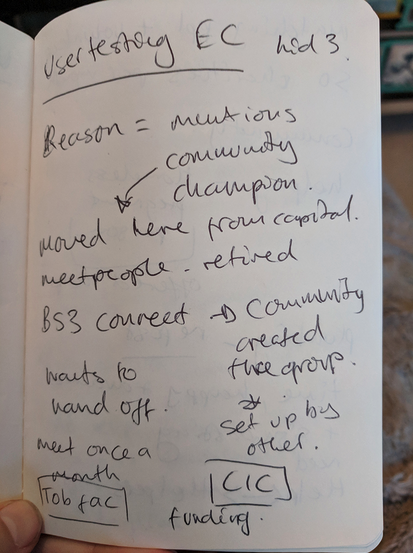
Caption: An example image of rough notes taken during a user experience research test session. There are lots of shortened words, arrows, words spread across the page , words circled and the handwriting is hard to read.
Invite an additional person if you want to, it isn’t essential to have more people interpreting results but it can mean that aspects you didn’t pick up on can be caught by additional people. We recommend either someone with less context of the overall user experience research to ask probing questions or someone with similar/the same context as yourself so they can be aligned with you and help you define and sort. Be aware that adding additional people into the process of interpreting and synthesis will increase the time it takes to make assertions and judgements about the data. Weight this time taken against the value of different perspectives and understanding.
It’s important to work synchronously, either together in a room or an online call. As always, without seeing your collaborators’ faces it can be hard to communicate complex and inferred information. In addition to video/audio, you will need a space where you’ll write together and then read together is vitally important. If you’re working face to face, you can write on sticky notes and stick them on a wall. If you’re working virtually, there are whiteboard tools like Miro.com, Mural.com, Google Jamboard, or even online spreadsheets. There are also open source virtual whiteboards, like Excalidraw and Penpot. Whichever tool you use, each person’s sticky notes should be visible to and moveable by everyone.
Tip:In-line text tools like Google Docs and collaborative writing programs don’t offer a good way to move notes freely on a canvas, and therefore we don’t recommend using those for synthesis (though it can be done if you are persistent!).
Remember, user experience research doesn’t mean putting an individual user (or group of users) in charge of your decision making. During a test, if a user says, “Oh you should have functionality that does exactly this thing I’ll explain” it doesn’t mean that you are required to build it. Instead, you just learned that the user is looking for a solution that your open source scientific software doesn’t offer at all, or in the way they expect. It’s less about the exact requested specifications and more about analyzing their problem (alongside other users’ problems) to land on an achievable, inclusive solution.
Find a fellow open source scientific software builder. Discuss who you might invite to help you collect and/or understand and interpret data. What kind of support could they offer? If you don’t know any people that you would ask for help, begin to discuss what kind of person you’d find valuable to have supporting you.
Challenge
Take a look at the following ‘raw’ transcription of a user speaking in a user experience research session. Go through and highlight (bold, underline, italic, change the colour) of the text to pick out the elements that you think are most important to the goal.
Goal: Where are our users of our plant computer visioning OSS finding the most problems in their processes and where can we help them complete their unique tasks towards their research best?
Transcription: Starting working with the plant computer vision tool for my research work In 2017, I got the money from my institution to invest some…well a tiny amount of time, my time, to figuring out how to get it working for us and how we like, keep plants and study plants and when i first started i tried just running it as it is and i had loads of errors and problems. I asked around the comp sci dept for help and a few people, nice people, offered to help and afterwards I started looking at documentation and guides. A few people had made guides for people having problems and that was helpful. I printed those umm docs out, maybe well i know I took notes on them in pen but i think I lost those docs now. My lab started putting pressure on me and I was out in the field taking samples and I tried using it out and about after taking photos but I realized I needed to know what it’s called like when you do data changing like oh! Cleaning the images like cleaning data. Preparing the photos to be ingested by the OSS. In 2018 - really dove into python packaging and tried to understand the prompts more, now people might say “oh i’m having trouble with pip install” and i would help people use the -v verbose command. Some of the commands and guides really don’t make sense at first and need lots of testing. We’ve never got people to.
Label and define findings and insights
There are numerous published methodologies for labelling, defining and sorting data from user experience research. Some are more accessible than others and there is no ‘one fits all’ process for interpreting and analysing data. Before interpreting and synthesizing, it’s worth clarifying who your user is, what your research question is and the goals of your user experience research. Having these as constant reminders as you label and define will help you later when sorting and clustering.
The labeling, defining, sorting and clustering process starts by getting all the user data together. Put each problem, comment, insight or observation a separate sticky note. The data will be rearranged in the sorting and clustering episode, so it’s important that each statement has its own sticky note. Statements should be a maximum of 10 words if possible.
Optional: Add critical information to your sticky notes with relevant criteria such as participant number, geographical location, device type, or anything else that’s important to your OSS tool. This is helpful to see if any patterns emerge based on specific attributes. E.g. Every Mac user wasn’t able to complete the checkout process.
We’ve listed some of the methodologies below but we’ll continue the lesson using thematic analysis/networks as the advised method for those learning.
Challenge
Take a look at the following data from users during user experience research. Add labels to the data from what you can see as important.
Goal: Where are our users of our plant computer visioning OSS finding the most problems in their processes and where can we help them complete their unique tasks towards their research best?
| User data | Labels | Comments |
|---|---|---|
| Ester had an error when running the server for the plant computer vision OSS. She spent some time scrolling through the messages in her terminal and performed the common two more times. She took a look in her folder window and noticed the python package manager. She then realised she had not started the python environment. | #sequence of steps #starting workflow #error messages #terminal #python #memory recall #asking for help | Ester also had a note stuck to her desk about investigating python package managers Ester also joked that she would usually ask her friend, a software developer, in the computing dept. For help if she can’t figure out an error. |
| When Ester tried to process an image, she first opened up an image she described as a ‘measurement’ image. She went on to describe this image as one of the first photos she took during her research that she did multiple processes on to ‘correct’ the image before processing - she used to have a list of how to ‘process’ and ‘test’ an image but she now knows instinctively how to ‘fix’ an image. She likes to look at this particular image every so often when she does her work to ‘remind’ her how an image should look. | #sequence of steps #standards | Ester flicked back to the ‘measurement’ image twice in the 30 mins we spoke about her main work flows. |
| Ester showed us how she uses certain functions and commands to generate the charts, diagrams, histograms, plots etc. she needs for her research. She showed us the ways she’s adapted her workflows to make sure that color correction of water-based plants is done prior to using the OSS but when it comes to thermal data she needed to adapt and change the existing functions to account for ambient water temperature. Here she showed us the different ‘hacks’ she’s made in order to do her research but she’s still ‘not sure’ that this is completely accurate. Often she relies on some other thermal images and tries to ‘skip’ to the plotting parts. | Add your answer here | Ester reminds us that she is ultimately looking at what combinations of underwater plants help maintain the health of low depth fresh water systems. |
A story from working on user research in OSS For one project, we did qualitative (interviews) and quantitative research (survey) with various types of users. Unfortunately, after the synthesis was done we realized that we made a critical error in our survey - one question was not specific to the part of the tool we were focusing on.
This meant that some of our sticky notes were giving us a false impression. We’d have to go back to the raw data and analyze which product the respondents were referring to. Luckily we had tagged each sticky note with the source and alias of the person. This made it easy to target the data points in question and remove the ones that were not part of our research goal.
While we still kept that data, it was important to keep the focus targeted - we couldn’t synthesize both parts at the same time! We needed to keep it manageable for our sanity and time constraints. Another thing we did on this project was to color code the sticky notes: green for positive insights, yellow for neutral insights, and red for negative insights.
At the end it was helpful to see the hotspots of positive and negative areas to get a vision of what areas needed the most improvement.
Sort and cluster findings and insights
You could stop at thematic analysis/networks if you believe you have gained clear insights that can help you make those assertive design decisions. If you’d like to continue exploring the data then leveraging a clustering method like Affinity Diagramming is advised.
Affinity Diagramming The visible clustering of observations and insights into meaningful categories and relationships. Capture research insights, observations, concerns, or requirements on individual sticky notes. Rather than grouping notes into predefined categories, details are clustered, which then give rise to named themes based on shared affinity of similar intent, issues, or problems.
Tagging your sticky notes with relevant criteria such as participant number, geographical location, device type, or anything else that’s important to your OSS tool can help you identify themes or critical information. This is helpful to see if any patterns emerge based on specific attributes. E.g. Every Mac user wasn’t able to complete the checkout process
All the sticky notes should be on the collaborative whiteboard where you’re working. It looks pretty chaotic and messy, but don’t worry, that’s completely normal. By organizing and grouping data together, we can start to see the structure of a problem or insight.
You are going to look for commonalities between the problems, comments, insights and observations. Every person will read a sticky note and move it close to other related sticky notes. It doesn’t matter where you start as long as you don’t spend too much time in detailed discussion about a single sticky note. You can always move sticky notes if you find later there’s a better grouping.
Label each theme cluster to make it easier to identify. These can be a description of the users’ actions, like ‘sign-up registration’, or a more abstract theme such as ‘Fairness’ and ‘Equality’. By the end, you’ll have a collection of sticky notes arranged in a hub and spoke pattern, with the hubs being your theme labels.
After you’ve moved each sticky note into a cluster, you can start a slower and more detailed second round of review. Pay attention to any big cluster groups. Can these be broken down into smaller clusters by being more specific with how you name the theme? Similarly, review very small groups of 1-3 sticky notes - they might fit into other groups. It can be difficult to not expand into thinking of solutions or implementation when synthesising but this is not (yet) the time for that.
You can also change the theme title to a descriptive statement. This is part of storytelling and important for communicating back to the wider OSS community and also can inform how you write issues or tasks from a user point of view.
Remember to be careful when factual information collected from user research becomes your own interpretation. You want to avoid making any assumptions. If you find yourself making a lot of assumptions, that’s a sign you need to re-test these elements with users to get clarification.
A story from working on user research in OSS We thought we had set up everything to make our synthesis session quick and easy. We had the sticky notes, the space, the time, and the people. The one thing we overlooked was setting up our people for success.
Our group was diverse, not only in terms of background, but also role: developer, designer, product manager, community manager, and CEO. Our conversation was based on instinct and it became contentious, confusing, and frustrating. The team had fiercely-held opinions and their agenda and reasoning wasn’t always clear - we lacked the context and thought process of everyone’s ideas. For the next affinity diagramming session, we decided to establish rules for framing “I like” statements. Participants would need to add context: “From a business perspective, I like X.” Or give more reasoning: “I like X because it gives the user the most freedom.” Or reference the goals: “I think X achieves our goal of making the process simpler.” When we clearly defined how we wanted people to participate in a synthesis discussion it went a lot smoother!
Challenge
Take a look at the following themes around the labels and data. What would you add to the list of themes? Feel free to move some labels around if you feel they need to be moved according to your judgement and add a comment as to why.
Goal: Where are our users of our plant computer visioning OSS finding the most problems in their processes and where can we help them complete their unique tasks towards their research best?
| Labels | Theme | Comments |
|---|---|---|
| #sequence of steps #starting workflow #memory recall #asking for help | Workflow/Process | These labels have a common theme of the steps that Ester takes to go through a process |
| #standards | Standards/Benchmarking | This label refers to how our user (Ester) is understanding whether subsequent ways of using the OSS tool are similar/the same results as previously. This is how she measures ‘quality’ and ‘consistency’ and how she is confident in her process and results. |
| #error messages #hacks | Problem solving | Errors and hacks can be summarised into the state they provoke ‘problem solving’. Whether or not the problem is solved or not they tend to distract the user until a ‘hack’ is discovered or they revert to a work-around. Errors and problem solving should be minimised and help can be offered. |
| #memory recall #asking for help #guessing | Add your answer here | Add your answer here |
| #terminal #python | Add your answer here | Add your answer here |
| #graphs #plots #diagrams | Add your answer here | Add your answer here |
Interpreting and asserting your understanding on user experience research data
After these processes of reading, discussing, labelling, defining, sorting and theming you should be closer to some discovery moments from your users around your open source scientific software goals.
What comes next is taking these insights into informed, assertive design-related statements and ideas. The next episode will dive into the topic of prioritisation and alignment with any project, institution or research objectives or roadmaps.
Following a format that draws on the insight and words the user needs, user scenario or user problem can help you put into actionable problems what you heard from users. It’s important to avoid ‘solutioneering’ and stay focused on what problems the user is facing in what scenario, how that relates to the constraints of the open source scientific software that you maintain and how that relates to your overarching goals or research questions. User statements aim to summarise what users want to be able to do and are typically used to bridge user experience design research with defining requirements for software development.
User scenarios, as they are typically called, have a number of different online templates and ways to construct them. We’ve developed an adapted template that includes what is important to open source software projects and also scientific/academic research.
Example short user statement As a phD researcher researching the effects of complimentary underwater plant ecosystems on the health of those water-ecosystems, I want to have my photos quickly colour corrected according to a flexible standard that takes into account water depth and clarity effects, So that I am able to focus on creating plots, graphs and data assertions that help me to explore my research question.
You can also explore these as more detailed feature and function level user statements.
Example short user statement at a feature/function level As a PhD researcher researching the effects of complimentary underwater plant ecosystems on the health of those water-ecosystems, I want to have my most commonly used commands and prompts to be able to be queried/seen when I input a specific command/prompt. So that I am able to remember and re-use the same commands after periods away from my computer.
As you may have noticed, the basic structure is:
As a… the type of user and what they primarily do or are focused on I want to… what is their goal? need? frustration? Task? So that I… can do something better/more efficient/more successful than previously or do a new critical action/function
Challenge
Using these user experience research insights, labels and themes, fill in the template of a user focussed statement.
Goal: Where are our users of our plant computer visioning OSS finding the most problems in their processes and where can we help them complete their unique tasks towards their research best?
| Insight | When Ester tried to process an image, she first opened up an image she described as a ‘measurement’ image. She went on to describe this image as one of the first photos she took during her research that she did multiple processes on to ‘correct’ the image before processing - she used to have a list of how to ‘process’ and ‘test’ an image but she now knows instinctively how to ‘fix’ an image. She likes to look at this particular image every so often when she does her work to ‘remind’ her how an image should look. |
|---|---|
| Labels Themes | #hacks #standards #benchmarking #error avoidance Problem solving, Processes, Optimisation |
| User statement | As a PhD researcher researching the effects of complimentary underwater plant ecosystems on the health of those water-ecosystems, I want to be confident that the image I’m using are ‘good’ examples measured against an example/baseline image and be certain of that image accuracy So that I can process images without double checking and being concerned about the accuracy and more confident. |
| Any constraints or details about the OSS that must be considered | Adding baseline/benchmarking images in the core OSS code for every kind of plant image would be a big ask. Adding guidelines for contributions upstream would be more possible. |
| How does it meet/relate back to your own user experience research goals and/or research question? | This insight tells us a key worry from this user, and possibly other users in that they are not sure that their images are being treated like-for-like. Increasing confidence can help users save time and speed up processes. |
Your template
Goal:
| Insight | Add your answer here |
|---|---|
| User statement | Add your answer here |
| Labels Themes | Add your answer here |
| Any constraints or details about the OSS that must be considered | Add your answer here |
| How does it meet/relate back to your own user experience research goals and/or research question? | Add your answer here |
Ending the interpretation and understanding stage of user experience research
Like most phases of user experience research it can be difficult to know when the optimal place to ‘stop’ is. When you feel like you have enough data that has been labelled, sorted and interpreted to your satisfaction so you can make confident and clear design decisions about your project is a good place to stop. This might not mean you have all data, 100% labelled, 100% clustered and 100% interpreted but if you have ‘good enough’ then it’s worth moving on.
What open source can offer that’s unique in this regard is, making as much of your data and process openly documented as possible means that other contributors, maintainers and people interested in continuing the project can do that if they have the time and the inclination.
Start making sense of your user experience research data
- Synthesis/interpreting is a stage of user experience research in which you read, analyse, compare, organize and reorganize information to make sense of it.
- Start this stage as early as possible to avoid memory degradation of the data you’ve collected.
- Ensure your notes and transcriptions are accurate and understandable as soon as you can.
- Decide if you’d like to include more people in the process of interpreting and synthesising data.
- Set up your interpreting/synthesis space by collecting data in one place, preferably on individual sticky notes and/or cells of a spreadsheet.
Label and define findings and insights
- Ensuring your user experience ‘data’ is collected into short individual statements will help with labelling processes.
- Following a labelling methodology can either be the common repeating words and themes in a users’ data, your interpretations and observations along these themes and involve the definition and expressions from the users of the tasks completed.
Sort and cluster findings and insights
- Clustering and sorting processes like Affinity Diagramming help you to further distill learnings from your user experience research data in the form of ‘themes’
- Be careful that any process of understanding, sorting and clustering doesn’t mean you’re inferring incorrect meaning on user experience research data.
- Ensure you offer clarity and explanation around the themes you extract and how it relates back to your goal or does not relate back to your goal and therefore are not as critical for your work. This also helps when making clear and transparent OSS documentation about your user experience research.
Interpreting and asserting your understanding on user experience research data
- Interpreting results can follow a number of methods, ones that work best for you and your project needs, goals and roadmap. Making sure those interpretations refer back to users, their needs and the labels and themes you’ve identified helps others, when looking at your interpretations, see the deduction journey you took from source (user) to interpretation.
Ending the interpretation and understanding stage of user experience research
- You set the ‘definition of done’ for when the interpretation process is complete.
- Consider making your process open and accessible in whatever state of compilation that they are. This means potential open source contributors can get involved.
Content from Connecting the dots and next steps
Last updated on 2025-11-04 | Edit this page
Overview
Questions
- How do I present my results to my stakeholders and the open community? Are there differences in how I should present my results?
- How can I start to prioritize my results with what to focus on and how to communicate that?
- What resources are out there to help guide changes?
- How can I make a case to continue user experience design to funders?
Objectives
- Present results to your stakeholders/the OSS community
- Prioritize user experience research results to plan and implement
- Identify design and development resources to help guide changes
- Make a case for user experience design to funders
Working in the open
Connecting the dots broadly encompasses how you communicate to whomever your stakeholders are, what you have discovered, how you went about that and what you will decide from here on. How you involve or do not involve stakeholders, community and peers in this process is largely your choice. Some processes we’ll introduce are inclusive by default of being processes developed within open source software communities. However, you are the best judge of whether this is the right time for this process or not. It could be that you’re still a growing open source scientific project and your community is small and growing in its understanding and competency, it could also be due to some policies and considerations from your host institution.
Read forward and be aware that these episodes are making some assumptions: 1. That you are working in the open and as transparently as you are able to be 2. That plan to involve other people in your open science community either now or in the future. 3. That you have an idea of how you’ll structure decision making and governance should your project gain high involvement.
The minimum we would recommend you make transparent and open in your project is your assertions from your interpretations. A format such as ‘We learned that users (needed/wanted/had trouble) with (problem/task) based on this data we extracted these common (themes) to inform this (user statement). This is important to this project given our (goal/research question/etc).’.
Putting this in public documents, issues, discussions or wherever you want to put that is discoverable by those interested in your open source scientific project.
Challenge
Governance and the decision making process can feel like an overwhelming undertaking at any point of an open source project. The risks involved with not implementing some simple governance can have consequences and complications later in your project’s life.
Here we invite you to set out some simple governance and decision making processes regarding your user experience research by answering questions.
Would you like people to do user experience research for your project themselves by following your openly available examples? If yes (link examples)
Would you like individual contributors to choose what user experience research they do for your projects or should they look to any goals or roadmap documents?
Do you require an IRB process to be followed in order for the contribution to be made?
Can a user experience research contributor become a ‘user experience maintainer’ as in they can make user statements and assertions based on data to inform the direction of the open source scientific project?
When would they stop being a maintainer? (e.g. after a period of inactivity)
When will these governance/structure questions be revised/revisited by the project founder? E.g. 1 year, 2 years
Prioritization processes
The next phase is the process of prioritising the synthesis findings in the context of your open source scientific projects’s goals and/or roadmap. We’ll save the in-depth process for a future resource and go over some of the basics.
Both these methodologies can be grounded in your open source science software’s goals and/or your overall research question.
When it comes to selecting and surfacing what user statements and data are important, use your best collective judgment to select which data you will focus on. You can’t focus on everything and there will likely be disagreements, especially around scope and technical feasibility. This isn’t just about what you and your stakeholders working on the open source science software think is important, but what the users from your user experience research think are important. Each time you select a theme as important, be sure to ask yourselves “Do the users think this is important as well as the myself/my stakeholders?”. Focus now on the themes and how they relate to your goals/research question rather than the perceived difficulty of technical implications. For example, by selecting ‘reducing errors’ it doesn’t mean you have to do complex technical improvements. It’s just acknowledging the importance of the topic and how it should be considered in the future to align with user expectation and need.
If further defining and scoping your user experience research statements is needed, we also recommend looking into SMART objectives, especially for those user statements that emerge as the most needed, critical or relevant to your goals/research question. SMART method means: Specific, Measurable, Achievable (or Assignable), Realistic (Relevant), Time-bound. These are typically given some written context and scored 1-5. 1 being a low score and 5 being a high score.
For example: “We learned that users had trouble being sure that any new underwater plant images would be of the same quality when they wanted to use them to create plots, graphs etc. Based on this data we extracted the common themes of #hacks, #standards, #benchmarking, #error avoidance, problem solving, processes and optimisation to inform the user statement ‘As a PhD researcher researching the effects of complimentary underwater plant ecosystems on the health of those water-ecosystems, I want to be confident that the image I’m using are ’good’ examples measured against an example/baseline image and be certain of that image accuracy so that I can process images without double checking and being concerned about the accuracy and more confident’. This is important to this project given our goal of finding where our users of our plant computer vision OSS find the most problems in their processes and where we can help them complete their unique tasks towards their research best?’.”
This statements scoring: Specific - 4/5 - this statement specifically references a section of the process most if not all users will take but from a unique user type perspective. It lacks detail on the nature of standardisation practices. Measurable - 3/5 - This statement has a measurable element of time reduction for eliminating the photo-checking behaviour for this user (and other similar users). Testing how much time it takes and how much confidence is needed to avoid checking is critical. Achievable (or Assignable) - 2/5 - This statement does identify a specific section of a workflow and one users’ specific work-around but outside of that example, broadly this being achievable is unknown. Realistic (Relevant) - 5/5 - This statement directly describes a problem that slows the user down and makes them prone to errors that take a long time to recover from. Time-bound - 3/5 - This statement has a sense of time boundaries given the time it takes to perform the specific task can be quantified re. Time and then measured to reduce the time. The work can also then be ‘stopped’ when this task time has been reduced and/or improved.
This statement therefore has a fairly high score for SMART. Though these scores for applying SMART this statement could be further defined and detailed, a rough estimate can also be usefully applicable.
Applying SMART then allows us to assign a rough prioritisation process: 1. Do now - High scores on SMART. 2. Do soon - Lower SMART scores but there is still a clear positive impact on users. 3. Idea for the future - Lower SMART scores and hard to see the impact without further user research. 4. Blue sky thinking - Lowest SMART scores and lacks some critical knowledge or infrastructure to even discuss.
The user statements that have high SMART scores are typically those with more clarity, definition and applicability to a project. SMART when combined with KJ technique or a weighted matrix moves you further towards a clear, assertive and relevant design assertion and decision that when/if challenged, can be referred to.
However, there are other ways to prioritize user statements and data. You can prioritize based on how feasible the implementation is, how ‘painful’ a user rates a task/feature to their daily lives/processes or you can leave the prioritization completely up to users and allocate them the power to vote on the features or improvements they need/want the most. You can find resources on those processes in some product management work the Superbloom Design completed with the Turing Institute’s open source projects here.
Challenge
Take a look at the below goal/research question and the subsequent prioritised and selected user statements. You’ll see that the example uses some SMART methodology as well as a rough quarters (a calendar year split into 4 sections) road map outline in order to add some permanence to these priorities. These user statements have been shortened for ease to read.
Goal: Where are our users of our plant computer visioning OSS finding the most problems in their processes and where can we help them complete their unique tasks towards their research best?
| Quarter 1 | Quarter 2 | Quarter 3 | Quarter 4 |
|---|---|---|---|
| Improve clarity of error messaging when using commands/prompts to plot graphs and charts. | Improve accuracy of processing images without users double checking and being concerned about the accuracy and more confident | Make sure documentation is easy and accessible to contribute to when a user has a unique workflow and/or processes. | Similar image auto recognition and apply same commands/prompts and/or suggest to run the same commands/prompts |
| S = 4 M = 3 A = 3 R = 5 T= 4 | S = 3 M = 4 A = 2 R = 5 T= 3 | S = 3 M = 4 A = 2 R = 2 T= 2 | S = 3 M = 1 A = 1 R = 2 T= 2 |
These have been prioritized in order of which is the SMARTest user statements first. That doesn’t have to be the only rationale you use to prioritize, as long as you have a clear and evidence based reason to prioritize a less SMART user statement you could choose to put that one first.
Now take a look at these additional SMART user statements, where would you add these into the rough roadmap and why.
- Guides and documentation for internal institution contributors to get involved in helping to maintain and develop the open science software.
Specific = 2 Measurable = 4 Achievable = 3 Realistic = 3 Time-bound= 1
- Feature to benchmark/standardise underwater images automatically
Specific = 3 Measurable = 3 Achievable = 1 Realistic = 1 Time-bound= 1
- Sample images and recommended prompts/commands in the CLI for first time users included in install packages.
Specific = 5 Measurable = 4 Achievable = 5 Realistic = 5 Time-bound= 4
- Better accuracy for underwater thermal/temperature plots and imaging outputs to be detected based on inputted environmental data e.g. water type (sea, fresh etc.) and location images was taken. Possible metadata able to be ingested.
Specific = 5 Measurable = 4 Achievable = 4 Realistic = 4 Time-bound= 3
| Quarter 1 | Quarter 2 | Quarter 3 | Quarter 4 |
|---|---|---|---|
| Add your roadmap statement here | Add your roadmap statement here | Add your roadmap statement here | Add your roadmap statement here |
| Add your SMART score here | Add your SMART score here | Add your SMART score here | Add your SMART score here |
Finding resources to help guide changes in your open source scientific software
There are plenty of resources available to you to help guide both prioritization and the other aspects we’ve covered across this lesson regarding making confident design decisions for your open source scientific software.
Notable examples of what can help guide changes in your open source scientific software can be found in looking at existing tools and software both within and outside of the sciences. You can find good examples of ‘good practice’ in GUI (Graphical User Interfaces) and also good examples of design without a GUI (like in the command terminal/CLI).
When it comes to CLI design, accessibility and information structure/hierarchy is profoundly important. You can watch Hartmut Obendorf of Canonical’s talk about designing for CLI here and find out more about good accessibility at the A11y Project.
When it comes to projects that have a GUI/UI then you can look towards the tools and software that you use as well as best practices like Heuristic Evaluation methods. Many organizations, companies and individuals have now created Design Kits or UI Systems for people making tools that have GUI. Tools such as Tailwind CSS and Github’s Primer UI. These kits/systems are great to look to for inspiration, reference or even use in implementations where possible. Many of these design UI kits have accessibility guidelines already considered and have been tested for usability.
You can find domain specific Design systems like STRUDEL which was created specifically by designers working alongside scientists and researchers at Lawrence Berkeley National Lab Scientific Data. This system has been created and maintained with scientific workflows and tasks specifically in mind and therefore you can know when you use them, that other scientific projects have tested these before.
What design kits or systems are you familiar with or have heard of? If you haven’t heard of these before, take some time to find one online and take a look at some of the UI elements. How might these work in your specific scientific context?
Making the case to continue and sustain user experience research
You’ve reached the end of the lesson content for ** Better Design and Usability for Open Source Science and Research Software**. This isn’t the end of how you make better, more informed design decisions for open source scientific software but these episodes have equipped you with the foundational and fundamental skills needed to engage with your project in order to investigate user goals and needs in a structured, data driven way. This has led to you being able to define the users and behaviours you want to study/observe through gathering, sorting and interpreting that data into prioritized lists. From here you can
Investing in user experience research aims to help clarify and merge both your needs as open source science project founder/maintainer and what those using your project need. The return on user experience time and energy investment is often most clearly expressed in the form of coherent and clarity of the journey to prioritized decision making of what you will focus on building and improving. In that way, the benefits of user experience research are how clearly it allows for user needs to be communicated and combined with other goals, transforming into more openly communicated improvements, user satisfaction and subsequent benefits to those impacting research and science discoveries using these tools and software.
Spend some time reflecting on what you’ve learned and how it impacts your work. In what ways can these processes be communicated to your peers, institutions and funders in order to help them understand the value of user experience research and how it can inform project development?
Working in the open
- Making a minimum effort to be open and transparent with your user experience research, as long as your institution’s policies and procedures allow, will help your open source science software project be sustainable for the long term.
- Governance and decision making in your open science software project doesn’t need to be long and highly detailed. It can serve a limited purpose of transparency for a period of time.
Prioritization processes
- Prioritizing processes and methods are about clarity, evidence, communication and often about getting all stakeholders and involved parties in agreement on what should be focused on at what time.
- As long as an assertion can be made for a prioritisation that is grounded in the user data and subsequent statements, then prioritization follows.
- Prioritization is most beneficial and useful to people external to your open science software project so they can understand what to expect and roughly when to expect it. This can also help them to know when and how to offer assistance and contributions as well as signalling to funders and institutions that you’re thinking about users beyond yourself and how your open source science software fits into the wider user-base.
Finding resources to help guide changes in your open source scientific software
- There are resources and references online that can help any kind of specific open source science project improve.
- UI kits and design systems are existing and established ways that people have implemented UI for users. They often specialise in a certain type of software, tool or user-type.